How to Choose an IP67 PoE Extender for Outdoor Use
Outdoor networks are expanding beyond protected offices, where rain, dust, heat, and unstable cabling challenge every connection. Cisco’s Annual Internet Report forecast 29.3 billion networked devices and connections by 2023. That growth increases demand for dependable edge connectivity in cameras, access points, sensors, and industrial equipment. Yet outdoor deployment is less forgiving. A connector can corrode quietly before a video stream fails.
Choosing an Ip67 Poe Extender requires more than checking a product label. IEC 60529 defines IP67 as dust-tight protection and temporary immersion up to one meter, under controlled test conditions. It does not guarantee resistance to flooding, chemical exposure, or continuous underwater use. IEEE 802.3 standards also matter, because PoE compatibility affects power delivery, negotiation, and equipment safety. The extender should match the network’s PoE class, cable distance, voltage loss, and connected load.
Market research from Grand View Research and MarketsandMarkets continues to identify PoE as a growing infrastructure segment, supported by smart buildings, surveillance, and connected devices. Those forecasts are useful, but field evidence matters more. Look for tested operating temperatures, surge protection, grounding guidance, and clear installation instructions. A metal enclosure may feel robust, yet poor cable glands can defeat it during driving rain. Small details matter. Even experienced installers can overlook condensation inside a sealed box. This guide examines the practical specifications, environmental ratings, and installation questions that separate a genuinely reliable outdoor extender from a merely convincing datasheet.
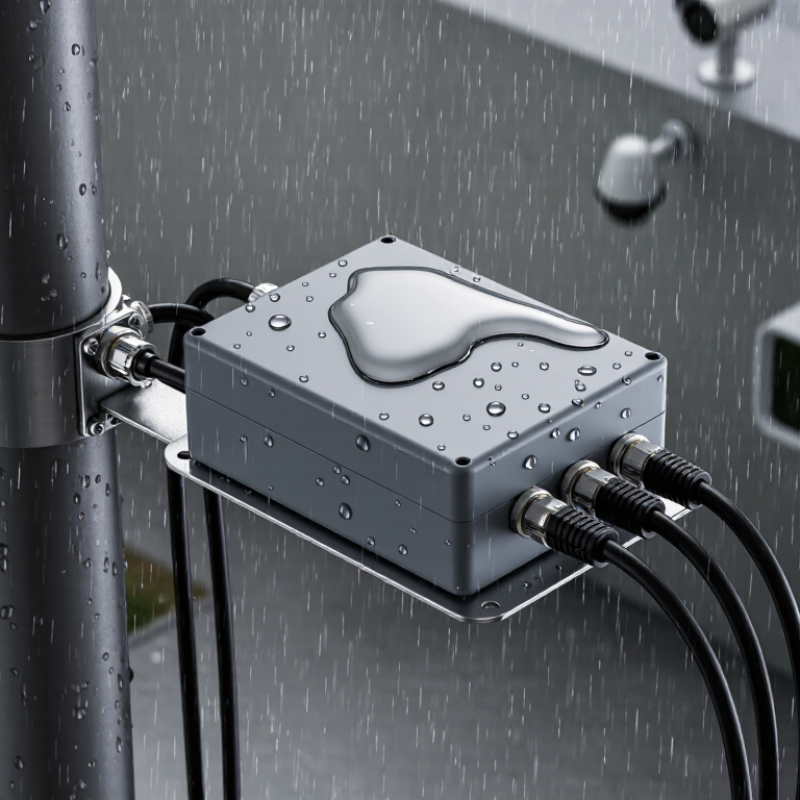
Define the Outdoor PoE Extender’s Power and Network Requirements
Choosing an IP67 PoE extender for outdoor use starts with a clear power audit. Identify the camera, access point, sensor, or other endpoint connected at the far end. Record its maximum wattage, not only its typical consumption. Night lighting, heaters, and motorized lenses can create short power surges.
Leave practical headroom.
A 30-watt device should not operate continuously beside a 30-watt extender limit. Allow at least 20% spare capacity, then account for voltage drop across the outdoor cable. Longer copper runs, cold weather, and poor terminations can reduce available power. Check the extender’s supported PoE standard and input voltage range. Matching standards on paper does not always guarantee stable field performance.
Network requirements need equal attention. Confirm the endpoint’s data rate, such as 100 Mbps or 1 Gbps, and check whether the extender supports that speed at the required distance. Count every link, connector, and switch between the network source and the endpoint. Outdoor surveillance may need steady upstream bandwidth, while a simple sensor may need very little. Managed networks can also require VLAN, QoS, or traffic monitoring support.
Use shielded, outdoor-rated cable where the installation environment demands it. Verify grounding and surge protection with a qualified technician. I have seen excellent power calculations fail because a damaged connector caused intermittent data loss. That mistake is easy to overlook. Test the complete cable path under load, during daylight and at night, before final installation.
Verify IP67 Protection and Outdoor Environmental Durability
Choosing an IP67 PoE extender starts with verifying what the rating actually proves. Under IEC 60529, IP67 requires dust-tight protection and resistance to temporary immersion in up to one metre of water for 30 minutes. That test is controlled, not a promise against every outdoor hazard. Rain can arrive sideways. Cable glands may loosen.
Check the complete assembly, not only the metal housing. The connector, sealing gasket, mounting screws, and cable entry should appear in the test documentation. Ask for an independent laboratory report, preferably from an ISO/IEC 17025-accredited facility. NEMA 250 adds useful context: Type 4X testing addresses rain, hose-directed water, dust, and corrosion, but it is not identical to IP67. Treat the ratings separately.
Environmental durability also depends on temperature, ultraviolet exposure, condensation, and salt. Verify the operating range after PoE load testing, because heat inside a sealed enclosure can reduce available power. For coastal sites, look for corrosion testing aligned with ISO 9227. For strong sunlight, check UV-aging evidence aligned with ISO 4892-3. The IEC 60529 test does not measure UV damage or long-term thermal cycling. Small details matter. A poorly tightened gland can defeat a well-tested enclosure.
Field experience suggests inspecting seals after installation and after the first severe weather cycle. I would also question vague claims such as “weatherproof” without a report number, test date, or configuration details. Outdoor performance is rarely perfect. A short, documented trial at the actual mounting location may reveal condensation, cable strain, or unexpected voltage drop before permanent deployment.
Match PoE Standards, Distance, Speed, and Device Compatibility
How to Choose an IP67 PoE Extender for Outdoor Use
Match PoE standards before checking enclosure ratings. IEEE 802.3af supplies up to 15.4 watts at the source, while 802.3at raises this to 30 watts. IEEE 802.3bt supports up to 60 or 90 watts, depending on its type. Actual powered-device input is lower because cable loss consumes energy. Measure the camera, access point, or sensor at startup, not only during normal operation. Small margin matters.
Distance changes the decision. Standard copper Ethernet supports a 100-meter channel under structured-cabling guidance. An extender can add reach, but its output budget and cable quality still limit performance. A 2023 Ethernet Alliance interoperability report emphasized multi-vendor PoE testing as a practical reliability concern. Use Cat5e or better copper cable, verify pair usage, and avoid assuming every extender handles four-pair power. That assumption fails often.
Speed must match the endpoint. A 100 Mbps camera does not need a gigabit extender, but high-resolution video can make that choice short-sighted. Check whether the uplink and downlink support 100 Mbps, 1 Gbps, or higher. IP67 means dust-tight protection and temporary immersion up to one meter for 30 minutes under IEC 60529 testing. It does not guarantee resistance to flooding, ultraviolet exposure, or condensation. Install a drip loop, seal cable entries, and inspect connectors after severe weather. Field conditions are messier than datasheets.
How to Choose an IP67 PoE Extender for Outdoor Use
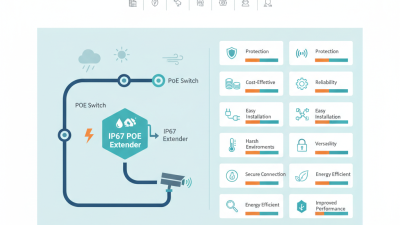
Match the extender with the required PoE standard, available power budget, transmission distance, network speed, and the powered device's compatibility.
The chart compares the maximum power supplied by the PoE source with the power guaranteed at the powered device.
IEEE 802.3af and 802.3at are commonly used for IP cameras, wireless access points, and VoIP phones, while 802.3bt provides additional power for higher-consumption equipment.
Standard copper Ethernet segments are limited to 100 m per segment. An IP67 outdoor extender can extend the link beyond this limit, but the actual reach depends on cable quality, connector condition, temperature, power loss, and the extender's specified distance.
Confirm that the extender supports the source PoE standard, the device's required wattage, and the required Ethernet speed before installation.