10 Essential Tips for Choosing the Right Web Managed Switch
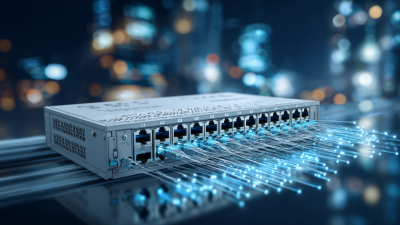
Choosing the right Web Managed Switch can significantly impact network performance and reliability. According to a recent report by the International Data Corporation (IDC), 65% of businesses experience improved operational efficiency after upgrading to managed switches. Enhancing your network architecture with a suitable Web Managed Switch is crucial for businesses aiming for scalability and manageability.
Network expert John McHugh states, "Selecting the right Web Managed Switch is not just a technical decision; it's a strategic one." His insights remind us of the importance of making informed choices. Many organizations overlook essential factors like port speed and management capabilities. This can lead to inefficiencies and increased costs.
Each Web Managed Switch is not universally applicable. The right choice hinges on unique business needs, including size and traffic demands. Without due diligence, firms may find themselves with outdated technology, hindering future growth. As the landscape continues to evolve, revisiting these choices is more vital than ever.

Understanding the Basics of Web Managed Switches
A web-managed switch is vital for businesses that need efficient network management. These switches offer a blend of control and simplicity. They allow users to configure settings, monitor traffic, and troubleshoot issues via a web interface. This means you don’t need deep technical knowledge to operate them. Just a basic understanding of network protocols can help.
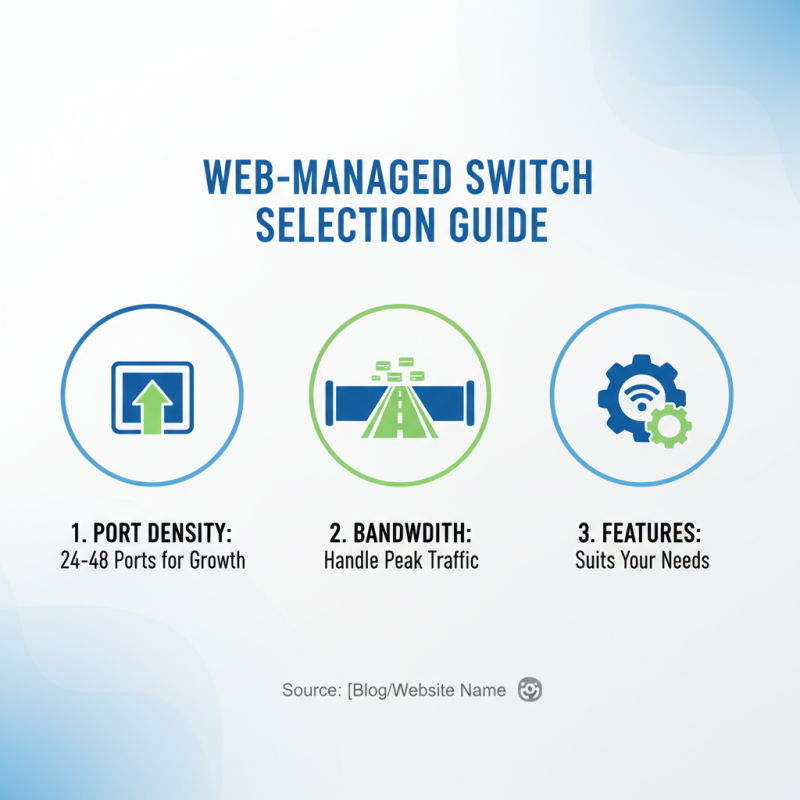
When selecting a web-managed switch, consider your current and future needs. It's easy to underestimate bandwidth requirements. Think about the number of devices and the potential growth of your network. Features like VLAN support can segment traffic and enhance security. However, many users overlook how these features can complicate initial configuration.
Before making a choice, ponder the user interface. Some interfaces are more intuitive than others. A poorly designed UI can lead to frustration during crucial setup times. Remember, the goal is to simplify network management, not to create new challenges. Finding the right balance between features and usability is key.
Comparison of Web Managed Switch Features
Key Features to Consider in Web Managed Switches
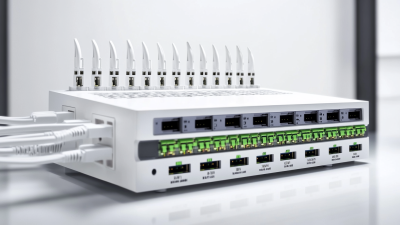
When choosing a web managed switch, consider the key features that suit your needs. Look for port density. The number of ports directly impacts your network's scalability. A switch with 24 to 48 ports is often ideal for growing businesses. Ensure it has enough bandwidth to handle peak traffic. You don't want bottlenecks during high usage times.
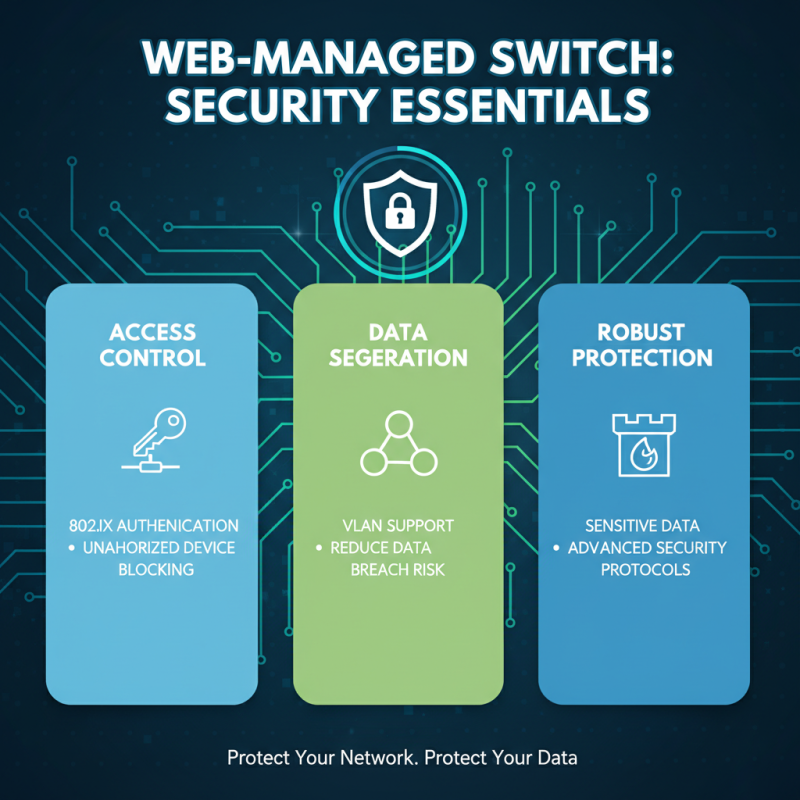
Network security features also play a crucial role. Look for support for VLANs and 802.1X for authentication. These features help isolate traffic and safeguard sensitive data. A switch with good Quality of Service (QoS) is important too. It prioritizes critical applications, enhancing performance for voice and video.
Management capabilities are another vital aspect. A user-friendly interface can ease configuration and troubleshooting. Check for support for SNMP, which simplifies network monitoring but requires some technical knowledge. Some switches have advanced analytics; these can give you insights into traffic patterns. However, ensure you can fully leverage this data; otherwise, it might become overwhelming. Balancing these features with your budget is necessary.
Assessing Performance Metrics for Network Efficiency
When selecting a web managed switch, performance metrics are crucial. Speed, reliability, and capacity are essential components. Understand your network demands before diving into specifications. Evaluate the throughput required for your applications. High bandwidth is vital for data-heavy environments. Look for switches that support Gigabit connections. This can significantly enhance performance in most settings.
Consider latency as well. It refers to the time data takes to travel across the network. A low-latency switch can improve real-time applications, like video conferencing. Analyze the switch's CPU and memory capabilities. These factors heavily influence performance under load. Monitoring tools are often helpful for assessing current performance.
Be aware of the switch's scalability. Networks evolve, and your switch should adapt. If it lacks expansion options, it can hinder future growth. Identifying the right balance between features and costs is not always easy. Performance should not come at the expense of budget constraints. You might find that cheaper options lead to compromise. Ensure you weigh your choices carefully and reflect on potential future needs.
Evaluating Security Features for Data Protection
When selecting a web managed switch, security features are crucial. Managing sensitive data requires robust protection. Look for switches that offer advanced security protocols, such as 802.1X authentication. This technology helps control access and ensures that unauthorized devices cannot connect to your network. Consider switches that support VLANs. VLANs can segregate traffic, reducing the risk of data breaches.
Encryption is another vital aspect. Switches that offer traffic encryption can protect data as it travels across the network. A lack of encryption can expose information to potential threats. Pay attention to the usability of security features. Complex settings may lead to misconfiguration, which can inadvertently create vulnerabilities. It's essential to strike the right balance between security and ease of management.
Monitoring capabilities are also important. Look for switches that provide real-time insights. This helps in identifying unusual patterns that could indicate a threat. However, be aware that relying solely on automated systems may produce false alerts. Regular manual reviews are necessary to catch any overlooked issues. Prioritize ongoing training for staff to ensure everyone understands the security features in use.
Budgeting for Your Web Managed Switch Investment
When planning your budget for a web managed switch, it's crucial to consider various factors. The initial purchase price is just one piece of the puzzle. Operational costs can significantly affect your overall investment. A study by IDC found that total cost of ownership often exceeds initial equipment costs by 70%. This means that a low-priced switch may end up costing more in the long run.
Installation and maintenance costs can add up quickly. Experienced technicians usually charge between $75 and $150 per hour. Depending on the complexity, your installation could take several hours. Additionally, consider potential downtime. Research indicates that network outages can cost businesses up to $5,600 per minute. Investing in a reliable switch can mitigate these risks.
You should also factor in future scalability. As businesses grow, their network needs change. A switch that seems affordable now may not accommodate future expansion. Many professionals recommend setting aside 20% of your budget for upgrades. Analyze these expenses carefully to avoid unforeseen challenges. Lack of foresight in budgeting can lead to costly mistakes down the line.
10 Essential Tips for Choosing the Right Web Managed Switch - Budgeting for Your Web Managed Switch Investment
| Tip Number |
Tip Description |
Estimated Budget Impact |
Additional Considerations |
| 1 |
Assess Network Requirements |
$100 - $300 |
Consider current and future bandwidth needs. |
| 2 |
Choose Port Count Wisely |
$50 - $150 |
Plan for current and planned devices. |
| 3 |
Consider Managed vs Unmanaged |
$200 - $600 |
Managed switches allow more control and monitoring. |
| 4 |
Evaluate Security Features |
$100 - $400 |
Look for features like VLAN and ACL support. |
| 5 |
Look for Easy Management Options |
$50 - $200 |
Web interfaces or SNMP management can ease operation. |
| 6 |
Evaluate PoE Needs |
$100 - $500 |
Consider if powering devices like cameras is needed. |
| 7 |
Check Quality of Service (QoS) |
$75 - $250 |
Prioritization of traffic can enhance performance. |
| 8 |
Consider Layer 2 vs Layer 3 Features |
$150 - $700 |
Layer 3 switches allow routing capabilities. |
| 9 |
Plan for Scalability |
$300 - $1000 |
Anticipate future growth in network size. |
| 10 |
Read User Reviews and Ratings |
Free |
Real-world feedback can help gauge reliability. |