10 Essential Tips for Optimizing Your Poe Switch Experience?
In the rapidly evolving world of networking, optimizing your Poe Switch experience is crucial. Renowned industry expert, John Thompson, states, "A well-configured Poe Switch can transform your network's performance." This highlights the importance of understanding the unique features of Poe Switches.
Many users overlook the nuances of configuring their Poe Switches. You might think the default settings are adequate, but they often are not. Proper optimization involves fine-tuning power allocation and monitoring network traffic. For instance, choosing the right power budget can significantly enhance performance.
Additionally, familiarity with the latest Poe standards is key. This knowledge helps you avoid potential pitfalls and costly mistakes. As you delve into the world of Poe switches, remember that even small adjustments can lead to substantial improvements in your networking environment. Embrace the learning process and explore the possibilities with your Poe Switch.

Understanding PoE Switches: Key Functionalities and Specifications
Power over Ethernet (PoE) switches are essential for various network applications. They combine data and power delivery over a single cable. This simplifies installations and reduces clutter, often of utmost importance in commercial settings. Understanding their key functionalities can significantly enhance your network’s efficiency.
One critical aspect to consider is the power budget. Each PoE switch has a maximum power it can supply. If devices exceed this limit, some devices may fail to operate. Furthermore, checking the PoE standards, such as IEEE 802.3af or 802.3at, is vital. Each standard has different power outputs tailored for specific devices. This complexity can lead to some misconfigurations if not fully understood.
Another aspect is port density. A switch with more ports can support a larger number of devices. However, more ports often mean more power requirements and heat generation. It’s a balance that needs careful planning. Users might overlook the need for ventilation. Inadequate cooling can lead to overheating, causing device failures. This is an area where continuous monitoring is essential to maintain optimal performance.
Assessing Power Budget: Calculating PoE Requirements for Devices
Understanding your power budget is critical when deploying Power over Ethernet (PoE) devices. Many organizations underestimate the power requirements of their connected devices. According to a recent industry report, nearly 30% of PoE installations face power allocation issues. This can lead to insufficient power for devices, potentially causing downtime.
To accurately calculate PoE requirements, assess each device's power consumption. For instance, IP cameras typically require 15W, while VoIP phones use around 5W. If you have several devices running simultaneously, the cumulative power can exceed your switch's capacity. It's crucial to account for peak usage and possible future expansions.
Tip: Always leave a buffer in your power budget. Reserve at least 20% for additional devices. This precaution helps prevent power overload and device failure. Regularly review your PoE deployment to ensure equipment meets current needs. Look into advanced PoE switches that can monitor and alert for power discrepancies.
Another consideration is environmental factors. Temperature can impact the efficiency of your PoE devices. Keep your gear in a climate-controlled space. This not only optimizes performance but also extends the lifespan of equipment. By staying informed and proactive, you can enhance your overall PoE experience.
Network Design Considerations: Integrating PoE Switches Efficiently
When integrating Power over Ethernet (PoE) switches into a network, several design considerations come into play. Understanding the power requirements of your devices is crucial. Each PoE device, such as cameras or access points, requires specific wattage. Calculate the total power consumption to ensure your PoE switch can handle it. Overloading a switch can lead to performance issues and device failure.
Placement is another key aspect. Position switches near the devices they serve to minimize cable lengths. Longer cables can result in power loss and reduced data speed. Additionally, consider the physical environment. Ensure adequate cooling and ventilation to prevent overheating. This is essential for maintaining the longevity and reliability of your network equipment.
Lastly, think about future expansion. As your network grows, you may need additional PoE devices. Plan your switch capacity accordingly. A well-prepared design can save you time and resources down the line. Reflect on your existing setup. Are there areas that could be optimized? Revisiting your network design periodically can yield significant improvements.
10 Essential Tips for Optimizing Your PoE Switch Experience
| Tip Number |
Tip Description |
Benefit |
| 1 |
Choose the right power budget for your PoE switch. |
Prevents power overload and device failure. |
| 2 |
Use high-quality Ethernet cables. |
Ensures reliable data transmission and power delivery. |
| 3 |
Keep firmware updated. |
Improves security and enhances performance. |
| 4 |
Plan for future expansion. |
Facilitates easy upgrades and scalability. |
| 5 |
Consider device compatibility. |
Ensures all devices function properly with the switch. |
| 6 |
Implement VLAN configuration. |
Enhances network performance and security. |
| 7 |
Monitor network performance. |
Identifies issues before they impact users. |
| 8 |
Set up redundancy plans. |
Minimizes downtime and ensures continuous service. |
| 9 |
Incorporate PoE budgets for non-critical devices. |
Maximizes power efficiency and reduces costs. |
| 10 |
Regularly audit your network setup. |
Ensures optimal performance and resource usage. |
Troubleshooting Common Issues: Ensuring Reliability in PoE Networks
When optimizing your Power over Ethernet (PoE) switch experience, troubleshooting common issues is crucial. Frequent problems include intermittent connectivity and device malfunctions. These can stem from inadequate cabling or power limits of the switch. Addressing these issues involves checking cable types and ensuring they meet the required standards. Using a quality cable is essential for reliable performance.
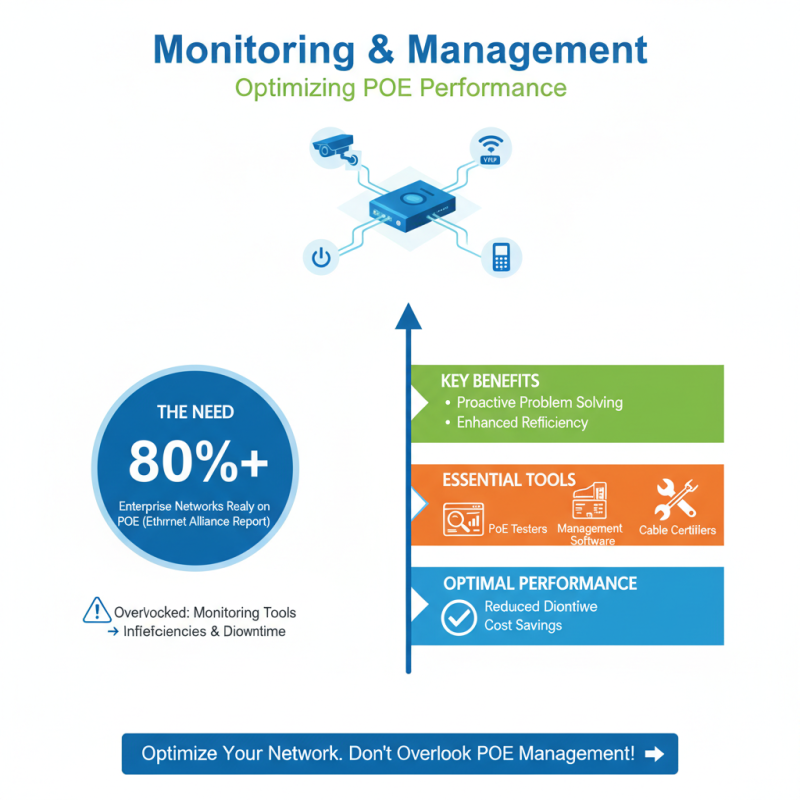
Another common concern is the switch's power budget. Each PoE device has specific power requirements. If the total demand exceeds what the switch can deliver, devices may fail. This often requires reassessing the power distribution. Monitoring the power usage can reveal discrepancies. Regularly updating firmware can also help avoid compatibility troubles. Be proactive in testing the network's performance. Such assessments can highlight areas that may need improvement.
A visual inspection of the physical connections is also beneficial. Loose cables and faulty ports can lead to significant issues. It’s worth noting that environmental factors, like temperature, can affect performance. Keeping switches in stable environments is often overlooked. Regular maintenance checks can be time-consuming but are necessary for long-term reliability. Adjust your setup based on recurring problems to enhance network stability.