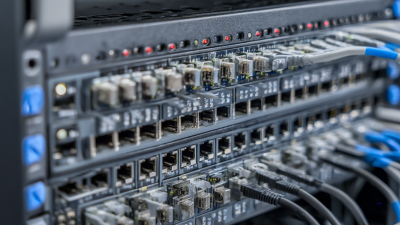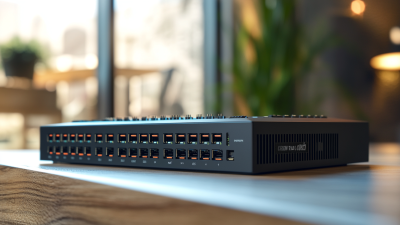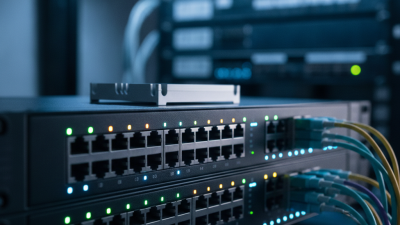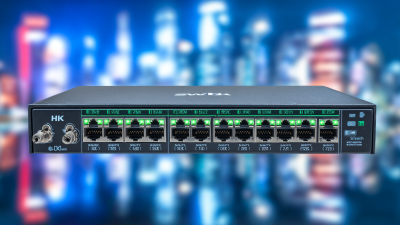
Choosing the right Network Switch can shape your business more than its small metal frame suggests. Behind every port, cable, and blinking LED lies a decision about speed, reliability, security, and future growth. A busy office may need stable connections for cloud applications, video meetings, and shared storage. A warehouse may require rugged hardware, longer cable runs, and simple management. The same product will not suit both environments.
John Gage, former Sun Microsystems chief scientist and a respected networking expert, famously said, “The network is the computer.” His statement remains useful today. A Network Switch is not merely a box that connects devices. It forms the working platform for communication, collaboration, and business continuity. Choose poorly, and users may experience slow file transfers, unstable calls, or confusing outages. Choose carefully, and the network can remain quiet, predictable, and easier to manage.
This guide examines the details that deserve attention. Port count matters, but unused ports can waste budget. Speed matters, but only when connected devices can use it. Power over Ethernet may support phones, cameras, and wireless access points. Managed features can improve visibility, yet they also require skills and time. That trade-off is easy to underestimate. No checklist is perfect. Real offices change, budgets tighten, and technical assumptions sometimes fail. The best decision combines current evidence, practical experience, and a realistic plan for tomorrow. Before comparing brands, define your devices, traffic patterns, security needs, support resources, and acceptable downtime. Then select the Network Switch that fits the business, not the marketing brochure.
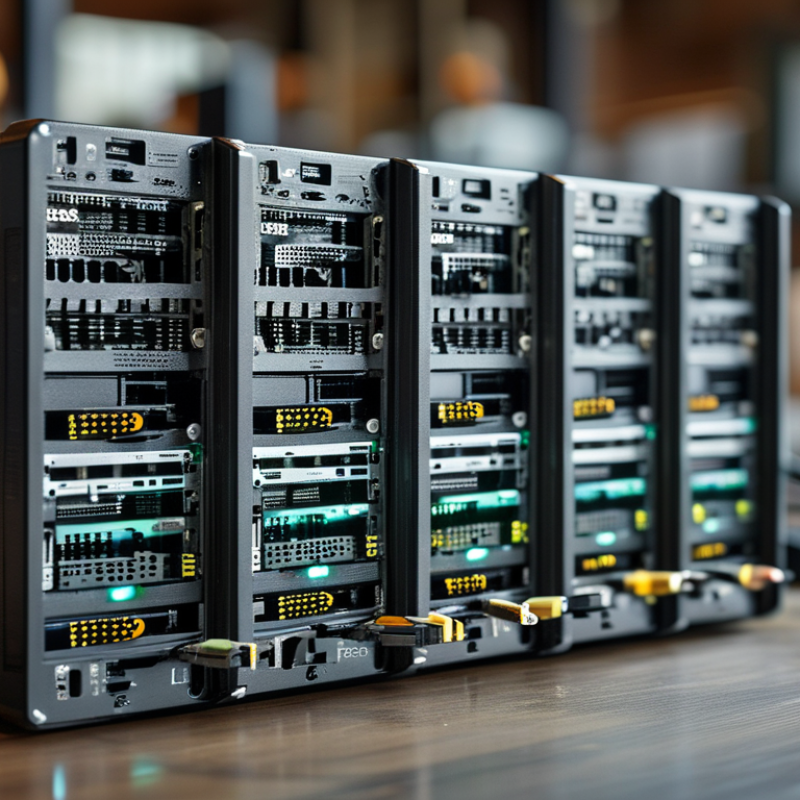
Choosing the right network switch starts with understanding how your business actually works. Count current users, devices, access points, cameras, and servers. Include equipment planned for the next three years. A small office may need fewer ports, while a busy warehouse may require many connections and stronger uplinks.
Traffic patterns matter as much as device numbers. Video meetings, cloud applications, file transfers, and voice services can compete for bandwidth. Measure busy-hour usage instead of relying on guesses. I have seen network plans fail because occasional traffic was treated as normal traffic. Your first estimate may be wrong. That is useful information, not a disaster.
Tips: List every connected device before comparing switches. Leave spare ports for expansion. Check whether your network needs power delivery for phones or access points. Review management features, security controls, warranty terms, and monitoring options with a qualified network professional. A lower purchase price can create higher support costs later. Test the proposed design with real traffic when possible. Small details, such as cable distance and cabinet space, can change the final choice.
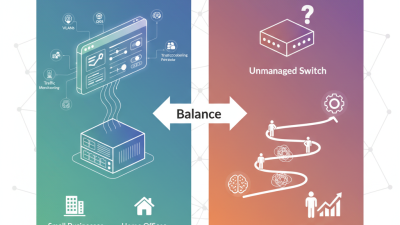
Choosing a network switch starts with understanding how your team actually works. An unmanaged switch suits simple connections, such as printers, cameras, and a few desktop computers. It usually needs no configuration. A smart switch adds basic controls, including VLANs and traffic monitoring. A managed switch offers deeper control over security, redundancy, quality of service, and troubleshooting.
Port configuration matters just as much as switch type. Count current devices, then allow room for growth. A small office may need 16 copper ports, while a busy department could require 24 or 48. Check port speeds carefully. Standard gigabit ports support everyday office traffic, but faster uplinks help connect switches, servers, or storage systems. Some ports support Power over Ethernet, which can power access points, phones, or security cameras through one cable.
Do not overlook uplink design. Fiber uplinks can cover longer distances between rooms or buildings, while copper connections remain practical for nearby devices. Confirm connector types and transceiver compatibility before ordering. I once selected a switch by port count alone. That assumption was wrong. The uplinks became congested during backups. Measure peak traffic, not just average usage. Also review switching capacity, PoE power limits, fan noise, and management access. A quiet switch may matter more than expected in a small workspace. The cheapest option can create hidden support work later.
Choosing a network switch begins with measuring real traffic, not guessing from port labels. A small office may need Gigabit access ports, while servers, storage, and wireless uplinks require higher speeds. Check both port speed and uplink speed. A fast uplink can prevent congestion between floors or departments.
Capacity also involves more than the number of ports. Review the switching capacity, forwarding rate, buffer size, and MAC address table. These specifications show how the switch handles busy periods and many connected devices. For example, video meetings, cloud backups, and security cameras can create sudden traffic spikes. PoE capacity matters when phones, access points, or cameras draw power from the switch. Leave spare ports and power overhead for future growth.
Performance should be tested under realistic conditions. Monitor latency, packet loss, retransmissions, and peak utilization during working hours. In one deployment, average traffic looked low, but short backup bursts caused noticeable delays. The original assessment missed those bursts. That experience changed our process. We now compare five-minute averages with one-second peaks. Reliability also depends on cooling, firmware support, and configuration features such as VLANs and traffic prioritization. A switch can meet its advertised speed yet perform poorly when its buffers fill. Test it with your actual devices before making a final purchase.
| Switch Profile | Typical Port Configuration | Recommended Business Size or Workload | Access Speed | Typical Uplink Speed | Approximate Switching Capacity | Approximate Forwarding Rate | PoE Availability | Management Features | Performance Considerations |
|---|---|---|---|---|---|---|---|---|---|
| Basic Gigabit Access Switch | 5–48 × 1GbE copper ports | Small offices, printers, IP phones, standard desktop connectivity | 1 Gbps per port | 1–10 Gbps, depending on model | Up to approximately 96 Gbps for a 48-port full-duplex design | Up to approximately 71.4 Mpps for 48 × 1GbE ports | Optional; commonly available with 802.3af or 802.3at support | Unmanaged or limited smart management; VLAN support may be absent on unmanaged models | Choose a non-blocking design when many users may transmit simultaneously. |
| Managed Gigabit Access Switch | 24–48 × 1GbE copper ports with dedicated uplinks | Growing offices, departments, branch networks, and segmented business LANs | 1 Gbps per port | 10 Gbps fiber or copper uplinks are common | Approximately 56–176 Gbps, depending on port count and architecture | Approximately 41.7–130.9 Mpps, depending on the hardware design | 802.3af, 802.3at, or 802.3bt options; total PoE budget varies by model | VLANs, QoS, link aggregation, spanning tree, ACLs, monitoring, and SNMP | Verify the total PoE budget and uplink capacity rather than evaluating port speed alone. |
| Multi-Gigabit Access Switch | 8–48 × 2.5GbE or 5GbE ports; some ports may support 10GbE | Wi-Fi 6 or Wi-Fi 6E access points, high-speed workstations, video production, and shared storage | 2.5–5 Gbps per port | 10–25 Gbps | Approximately 60–240 Gbps for typical 24- to 48-port configurations | Approximately 89.3–178.6 Mpps for 2.5GbE configurations | Often available with 802.3at or 802.3bt for higher-power access points | Managed VLAN, QoS, multicast, link aggregation, and security controls | Suitable when wireless access points or endpoints exceed 1Gbps; confirm cable category and distance requirements. |
| 10GbE Aggregation Switch | 8–48 × 10GbE ports, using SFP+ or 10GBASE-T interfaces | Server aggregation, virtualization clusters, storage networks, and high-traffic campus distribution | 10 Gbps per port | 25–100 Gbps or higher, depending on uplink design | Approximately 160–960 Gbps for common configurations | Approximately 119–714 Mpps, depending on port count | Usually limited or unavailable; PoE is not normally the primary purpose | Advanced Layer 2 and Layer 3 routing, MLAG or stacking options, ACLs, QoS, and telemetry | Check buffer capacity, oversubscription ratio, transceiver compatibility, and latency under load. |
| 25/100GbE Data Center Switch | High-density 25GbE server ports with 100GbE or higher uplinks | Data centers, artificial intelligence workloads, large virtualization platforms, and storage fabrics | 25 Gbps per server-facing port | 100 Gbps or higher | Commonly several terabits per second in aggregate | Varies by port count and packet-processing architecture; generally hundreds to thousands of Mpps | Not typically included | Layer 3 routing, EVPN/VXLAN, automation APIs, telemetry, redundancy, and data center traffic controls | Prioritize predictable latency, deep-buffer behavior, redundant power, airflow design, and automation support. |
| Industrial or Ruggedized Ethernet Switch | 4–24 × 1GbE or 2.5GbE ports; copper and fiber combinations are common | Factories, transportation systems, outdoor cabinets, utilities, and harsh operating environments | 1–2.5 Gbps per port | 1–10 Gbps | Approximately 16–120 Gbps, depending on the configuration | Approximately 11.9–89.3 Mpps, depending on port speed and count | Optional; PoE support depends on the environmental and power design | Managed VLANs, ring redundancy, rapid recovery, network monitoring, and industrial protocols | Evaluate operating temperature, vibration resistance, ingress protection, power redundancy, and recovery time. |
| Reference: Switching capacity is commonly estimated as port count × port speed × 2 for full-duplex operation. Forwarding rate is commonly estimated as port count × port speed ÷ 0.672 Gbps per million minimum-size Ethernet packets. Actual performance depends on the switch architecture, packet size, features enabled, uplink design, and traffic pattern. | |||||||||
When choosing a network switch, management features should match your team’s daily reality. A web interface may suit a small office, while larger networks need centralized monitoring, configuration backups, and clear alerting. Look for VLAN support, link aggregation, traffic statistics, and remote access controls. During a recent office upgrade, traffic graphs revealed a busy conference-room port that basic monitoring had missed. Small details matter.
Security should be built into normal operations, not added after an incident. Useful controls include role-based administration, secure management protocols, access control lists, port authentication, and automatic firmware updates. The switch should also record login attempts, configuration changes, and unusual traffic patterns. Keep management access on a separate network. It reduces exposure. Still, no switch can replace disciplined passwords and regular reviews.
Scalability requires more than counting today’s ports. Estimate growth in users, cameras, wireless access points, and connected equipment over three to five years. Check power capacity, uplink speeds, stacking or virtualization options, and spare-port requirements. A modular design can simplify expansion, but it may increase cost and maintenance demands. I have seen teams overbuy advanced features they never used. That mistake deserves reflection. Choose capabilities your staff can operate confidently, then leave room for measured growth.
A switch should match today’s workload and tomorrow’s expansion. The International Telecommunication Union reported 5.4 billion internet users in 2023, representing 67% of the global population. That growth increases pressure on office networks, cloud applications, and video meetings. However, buying the fastest switch is not always wise. A small office may need reliable 1Gbps access ports, while design teams or storage systems may justify 10Gbps uplinks. Count users, access points, cameras, and shared devices before comparing prices.
Budget for more than the hardware. Check power consumption, licensing, support, rack accessories, and replacement time. IEEE 802.3bt can deliver up to 90 watts from power-sourcing equipment, which supports demanding devices such as advanced wireless access points. Yet higher-power models may increase heat and electricity costs. A 2024 industry survey by the Uptime Institute found that power problems remain a major cause of data-center outages. Redundant power and tested backups deserve attention, even in smaller environments. I have seen teams overbuy capacity, then underfund maintenance. That is an uncomfortable mistake.
Tips: Leave at least 20% spare ports and capacity. Choose modular uplinks when growth is uncertain. Confirm VLAN, PoE, monitoring, and security features before purchase. Compare five-year ownership costs, not only the invoice. Document the decision, including what you may have misjudged.