
China’s networking market includes manufacturers producing switches for data centers, enterprise networks, and industrial deployments. Finding the right supplier takes more than comparing product pages. A Fiber Core Switch must match the network’s port capacity, traffic demands, and optical infrastructure. Small specification differences can matter.
This guide introduces key manufacturers in China and explains how to assess their products. It considers switching capacity, port configurations, redundancy, cooling, power supplies, and management features. Buyers should also check optical transceiver compatibility, firmware update practices, warranty terms, and technical support. Ask for detailed datasheets. Request clear answers about product testing and quality control. When possible, review a sample configuration before placing a large order.
A polished datasheet is only a starting point. Two switches with similar headline specifications may perform differently under sustained traffic or in a warm equipment room. Supplier identity also deserves attention: some companies design and manufacture products, while others mainly distribute them. Confirm who handles engineering questions and after-sales service. Check references, documentation, and relevant certifications, but verify claims independently where practical. There is no universal “best” manufacturer for every network. The right choice depends on workload, budget, deployment conditions, and support expectations. Even careful comparisons leave some uncertainty. Real-world testing can reveal what a brochure cannot.
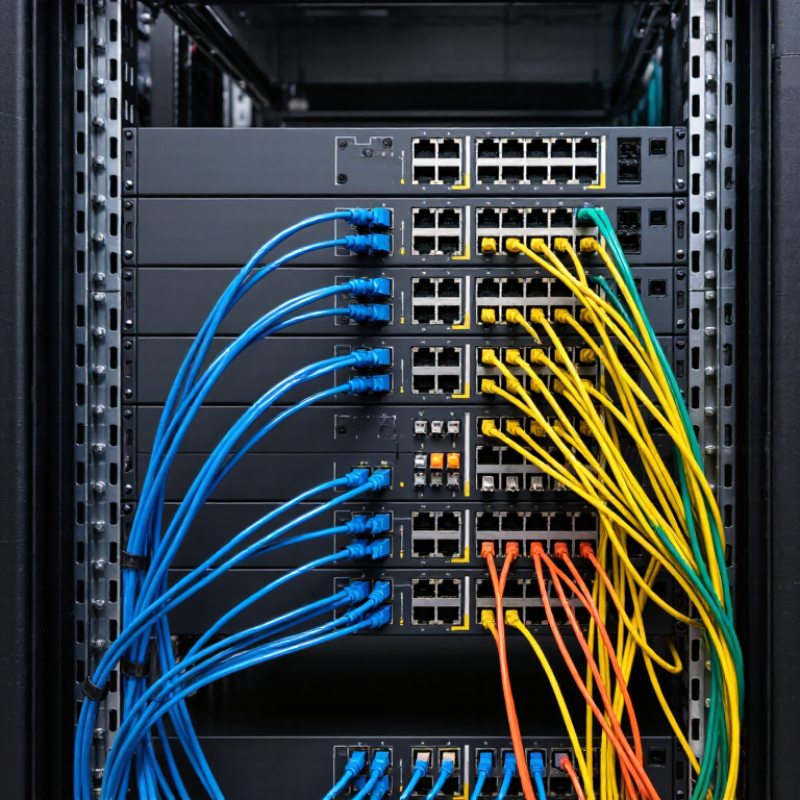
A fiber core switch is a high-capacity network switch that connects major parts of a network through fiber-optic links. It often sits at the central layer, joining access switches, servers, and routers. Fiber carries data over glass strands using light, which supports long links and high bandwidth. The switch itself directs traffic; it does not create the optical signal without compatible transceivers.
In a campus network, several access switches may send traffic through fiber uplinks to one core switch. The core then forwards packets between buildings, server rooms, or network segments. Models can differ in port speed, switching capacity, Layer 2 and Layer 3 features, and redundancy options. A busy network needs enough capacity for peak traffic, not just today’s average. The terminology can be fuzzy: some suppliers call an aggregation device a core switch. Check the specifications and network design before comparing equipment.
Tips: Match transceivers to the switch’s supported standards, and confirm fiber type, connector, and link distance. Check the details. Also review power supplies, cooling, and failover behavior. A second switch may improve resilience, but only if links and configurations provide a real backup path. Small compatibility assumptions can cause frustrating delays.
Fiber core switches form the high-capacity center of an enterprise or data-center network. They aggregate traffic from access switches, connect server rooms, and direct data toward routers, storage, or other sites. Fiber links carry traffic over longer distances than typical copper links and help limit electromagnetic interference. But a fast switch alone cannot prevent congestion or service interruptions.
Demand keeps rising. The International Energy Agency’s Energy and AI report estimates that data centers used about 415 TWh of electricity in 2024, potentially reaching 945 TWh by 2030. This growth makes efficient, scalable network design increasingly important. When comparing manufacturers in China, check supported fiber speeds, optical-module compatibility, switching capacity, routing features, and redundant power supplies. Ask for test results under realistic traffic loads, not just peak specifications. Capacity alone is not resilience. That distinction is easy to overlook.
Tips: Map traffic between racks before choosing port counts. Confirm monitoring and replacement-part support. A small pilot can reveal heat, configuration, or interoperability problems before deployment.
When evaluating Chinese fiber core switch manufacturers, begin with the network you need to support. List port speeds, fiber types, uplink counts, redundancy needs, and expected traffic growth. A unit may look suitable on paper but still lack the right interface mix. Check switching capacity and forwarding performance under realistic traffic, not only headline figures.
Ask for a detailed bill of materials, product test records, and clear warranty terms. Review how the manufacturer verifies optical ports, power supplies, and cooling before shipment. A practical test can reveal issues a datasheet misses: connect the proposed switch to your transceivers, run sustained traffic, and check for packet loss or unexpected heat. Small details matter. Firmware updates and configuration guides should also be available in usable English, with version history and a clear support contact.
Assess production consistency, not just a polished sample. Ask how hardware revisions are documented and whether replacement units will match the tested configuration. If possible, inspect a trial unit over several days in your own environment. Track reboot behavior, alarms, and temperature readings. One uncomfortable point: a short test cannot predict years of service. Keep that limitation visible, and avoid treating an attractive price or quick reply as proof of reliability.
Use standardized Ethernet link rates as a starting point when comparing manufacturers. Confirm the switch supports the required port speeds and that its optical interfaces, modules, and stated performance meet your deployment needs. The rates shown are standardized Ethernet speeds, not ratings of any manufacturer.
Chinese fiber-core switch manufacturers tend to specialize by workload, not merely by port count. Some focus on compact 1U switches with 24 or 48 fiber ports for campus rooms. Others build high-density 100G and 400G platforms for data centers, where airflow and power draw matter as much as throughput. Dell’Oro Group reported 19% year-over-year growth in data-center switch revenue in 2024, reflecting rising infrastructure demand. That growth makes capacity claims worth checking carefully.
Product specialties also differ in optics support, redundancy, and management features. A manufacturer serving telecom networks may prioritize long-distance links and dual power supplies. An enterprise-focused supplier may emphasize quiet operation, VLAN controls, and straightforward monitoring. Ask for port-level power figures, supported transceiver types, and thermal test conditions—not just a headline switching capacity. Small details matter. A dense chassis can look impressive but run hot in a cramped rack. That trade-off is real. The IEEE 802.3 Ethernet standards provide useful reference points for link speeds and interfaces, while sample testing can reveal firmware or compatibility gaps. Specifications are helpful, but they do not tell the whole story.
| Anonymized Supplier Segment | Typical Product Specialty | Common Fiber Interfaces | Core Switching Capabilities | Typical Deployment |
|---|---|---|---|---|
| Enterprise network equipment supplier | Campus core and aggregation switches, often with redundant power supplies and modular or fixed-port configurations | 10G SFP+, 25G SFP28, and 40G QSFP+; 100G QSFP28 on higher-capacity models | Layer 2 and Layer 3 switching, VLANs, link aggregation, static routing, and common dynamic routing options such as OSPF | Enterprise campuses, office buildings, and multi-floor networks |
| Data center switching supplier | High-density leaf-and-spine switches designed for server, storage, and data center interconnect traffic | 25G SFP28, 100G QSFP28, and, on newer high-capacity platforms, 400G QSFP-DD | High-throughput Layer 2/Layer 3 forwarding; some platforms support BGP and EVPN-VXLAN-based fabrics | Cloud, colocation, and private data centers |
| Carrier and transport network supplier | Provider-edge and aggregation platforms with features aimed at managed Ethernet and service delivery | 10G SFP+, 25G SFP28, 100G QSFP28, and platform-dependent higher-speed uplinks | Layer 2/Layer 3 services; selected models may offer MPLS, segment routing, or timing features | Telecommunications, metropolitan networks, and service-provider aggregation |
| Industrial networking supplier | Ruggedized industrial Ethernet switches, including managed models with fiber uplinks | Gigabit SFP and, on some models, 10G SFP+ uplinks | Managed Layer 2 switching, VLANs, ring protection, and redundancy protocols; feature sets vary by platform | Factories, utilities, transportation systems, and outdoor cabinets |
| SMB and access networking supplier | Cost-conscious fixed-port switches with fiber uplinks for access-layer aggregation | 1G SFP and 10G SFP+ uplinks, depending on model | Basic Layer 2 switching, VLANs, link aggregation, and selected Layer 3 or static-routing functions | Small and medium-sized businesses, branch networks, and building access layers |
| OEM/ODM-focused switch supplier | Customizable white-label or project-specific switching platforms, with hardware and software options selected for the deployment | Port combinations may include SFP, SFP+, SFP28, QSFP+, or QSFP28, depending on the platform | Capabilities depend on the selected hardware, network operating system, licensing, and project requirements | Private-label products, system integration projects, and specialized network deployments |
| Supplier segments are anonymized and describe common product categories and interface standards available in the market, not specifications attributed to any individual manufacturer. Actual port counts, software features, and supported optics vary by model; confirm them against the relevant datasheet. | ||||
Choosing a fiber core switch manufacturer starts with the network, not the catalog. Map the number of fiber links, required speeds, and expected traffic growth. Check whether the switch supports the transceivers and protocols already used in your racks. Ask for clear test reports, power figures, and operating-temperature ranges. A neat datasheet is not enough. Request a sample or a controlled demonstration, then check port behavior under sustained traffic and during failover. Small details matter, such as fan noise in a shared equipment room.
Manufacturing consistency is just as important as features. Ask how each unit is inspected, how firmware updates are documented, and how long replacement parts remain available. Reliable answers should include practical procedures, not vague promises. Support response times also deserve attention; a network outage rarely waits for office hours. Review warranty terms and request references from deployments with similar port counts and workloads. One thing is easy to overlook: the lowest purchase price may bring higher maintenance costs later. Still, no checklist removes every risk. A trial installation can reveal issues that a specification sheet cannot.