What is a Web Managed Switch and How Does It Work?
A Web Managed Switch plays a crucial role in modern networking. It allows users to manage their network settings via a web interface. This feature brings convenience, especially for small businesses and home offices.
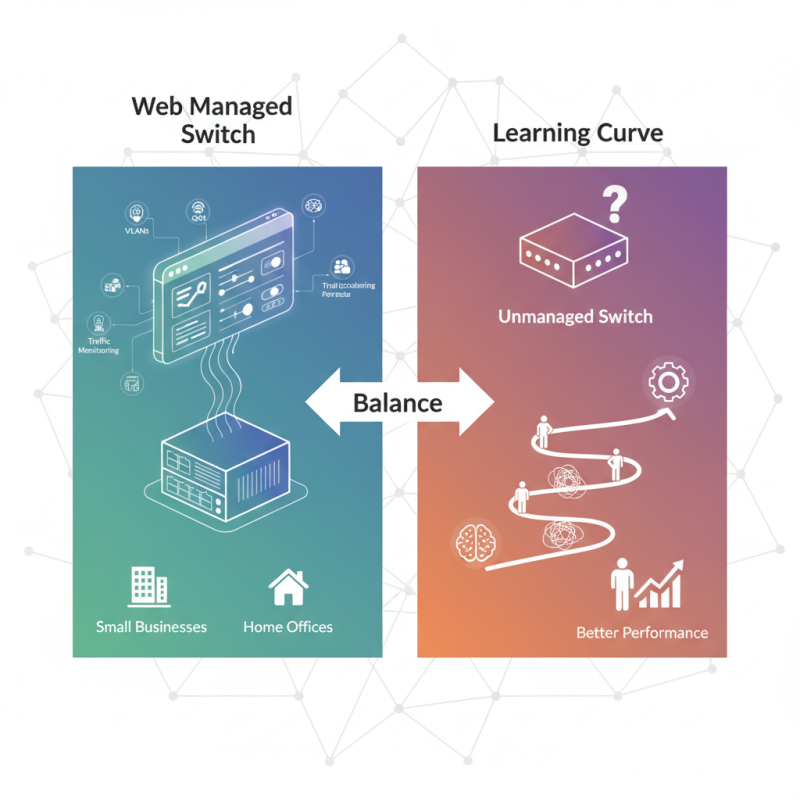
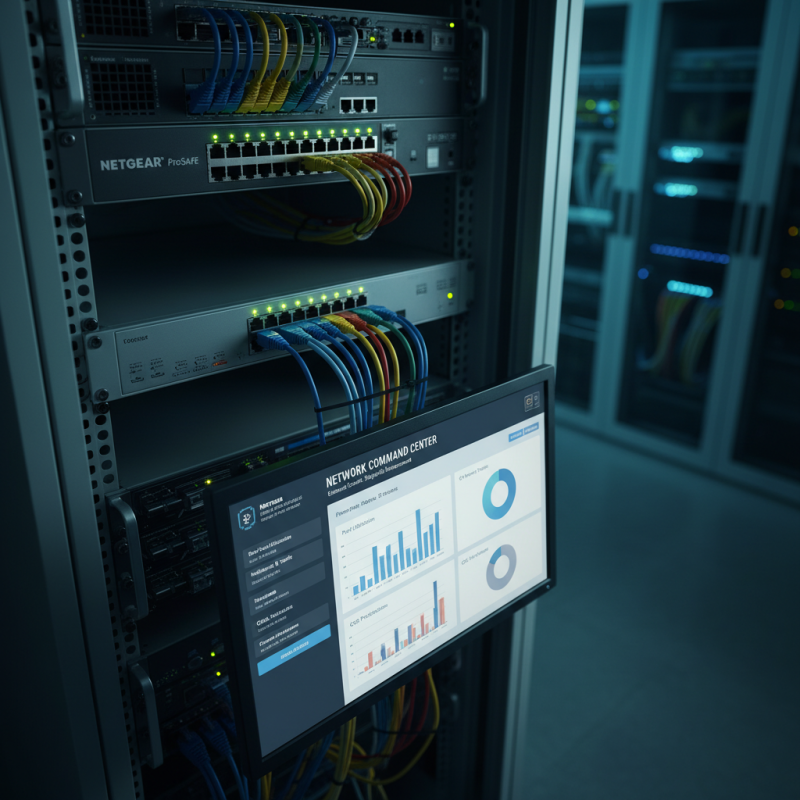
In contrast to unmanaged switches, Web Managed Switches offer more control. Users can configure settings like VLANs and QoS. These functions optimize network performance. Monitoring traffic becomes easier. Enhanced security features are often included, like port security and access controls.
However, the benefits come with a learning curve. Users may need time to understand the interface. This complexity can deter some users, leading to frustration. The balance between control and simplicity is vital. Investing time in learning may yield much better network performance in the long run.
What is a Web Managed Switch?
A web managed switch is a networking device that allows users to control and manage network traffic. It offers advanced features that standard switches do not. This switch can be configured via a web interface. Users access this interface through a browser, making it user-friendly for those with moderate technical skills.
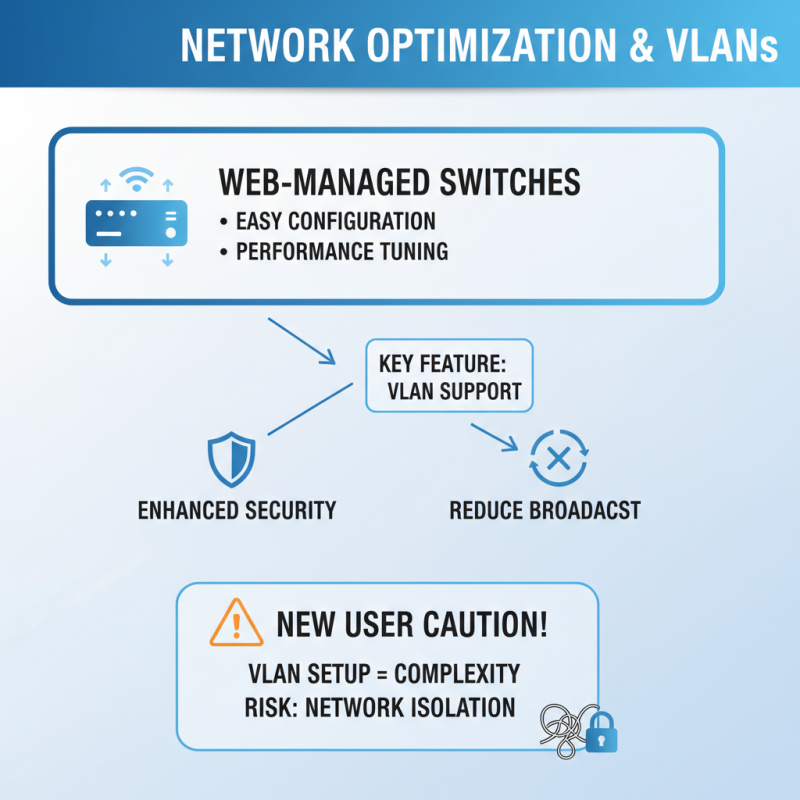
Configuration options include VLAN setup, bandwidth control, and port mirroring. These features enhance security and optimize network performance. For example, VLANs can segment network traffic, improving efficiency. However, many users struggle with the initial configuration. It can be complex and overwhelming.
**Tips:** When setting up a web managed switch, start with the basics. Familiarize yourself with the user interface. Consider creating a backup of the current configuration. This action can save time if adjustments lead to issues.
Documentation is important, too. Take notes on the changes you make. This reflection will help if you need to troubleshoot. Remember, it’s okay to make mistakes during setup. Each error is a learning opportunity.
Key Features of Web Managed Switches
Web managed switches provide a level of control and flexibility that enhances network efficiency. These devices allow users to configure, manage, and monitor network performance through a web-based interface. According to industry reports, the global market for managed switches is projected to grow at a compound annual growth rate (CAGR) of 5.4% through 2027. This indicates a strong demand for network switches that offer better management capabilities.
One of the key features of web managed switches is VLAN support. Virtual Local Area Networks (VLANs) improve network efficiency by segmenting traffic. This enables more secure and organized data management. Reports suggest that implementing VLANs can reduce network congestion by up to 30%. Another advantage is Quality of Service (QoS) support. This feature prioritizes network traffic, ensuring that crucial applications receive the necessary bandwidth.
Web managed switches also offer enhanced security features. For example, port security can restrict access to specific devices. This reduces the risk of unauthorized access. However, despite these benefits, the complexity of configuration may pose challenges for less experienced users. A poorly configured switch can lead to performance issues. Network administrators need continuous training to fully leverage these devices. Thus, while the advantages are significant, ongoing education is essential for optimal use.
How Web Managed Switches Differ from Unmanaged Switches
Web managed switches are designed for enhanced network control and management. Unlike unmanaged switches, they offer features that allow users to configure, monitor, and manage their network traffic. This gives network administrators the flexibility to adjust settings as needed, optimizing performance for different applications.
Unmanaged switches are basic. They allow for plug-and-play connectivity, but they lack configuration options. You can't adjust network settings or monitor traffic. This limitation can lead to inefficiencies, especially in larger networks. Often, the simplicity of unmanaged switches may lead to neglect in monitoring overall network health. This can be a costly oversight.
**Tip:** Regularly review your network settings. Small adjustments can lead to significant improvements in speed and efficiency.
On the other hand, web managed switches provide detailed insights. They allow for VLAN setup, port mirroring, and traffic prioritization. These features can prevent network congestion and ensure critical applications run smoothly. Yet, not all users are comfortable navigating complex settings. Some may find the user interface overwhelming, leading them to miss out on valuable features.
**Tip:** Take time to learn your switch’s interface. Familiarity can help you use it more effectively.
Ultimately, selecting between managed and unmanaged switches depends on your specific needs. A well-implemented web managed switch can enhance network performance. However, the learning curve might be a barrier for some users. Investing time in understanding these tools can pay off in the long run.
Comparison of Web Managed Switches and Unmanaged Switches
Practical Applications and Benefits of Using Web Managed Switches
Web managed switches are becoming more popular in many environments. They offer unique features compared to unmanaged switches. These devices allow for greater control over network settings. They enable configuration through a web interface, making them user-friendly. With such features, they're ideal for small to medium-sized businesses.
One practical application is network segmentation. This approach enhances security by isolating sensitive data. By creating VLANs (Virtual Local Area Networks), organizations can control traffic more effectively. It’s also possible to prioritize bandwidth for critical applications. For example, video conferencing can receive more bandwidth than general browsing. However, not all users understand VLAN configurations, leading to potential issues.
Another benefit is remote management. Admins can monitor the network from anywhere. This convenience can save time. Yet, relying too much on remote access may create vulnerabilities. Proper training is essential. Regularly updating firmware is also crucial for security. Without these practices, networks may face risks. Web managed switches are powerful tools but require careful consideration for optimal performance.