Leave Your Message

Top 10 IP67 PoE Extenders for Outdoor Use?

Selecting an Ip67 Poe Extender for outdoor use requires more than checking its ingress-protection rating. A weather-resistant enclosure can help guard against dust and water, but it cannot correct an overloaded power budget, excessive cable loss, or poor mounting. A unit installed beneath a sunlit eave faces different heat and moisture conditions from one mounted beside a sheltered loading dock. Small details matter.

This guide compares ten extenders for outdoor deployments, focusing on practical specifications: supported PoE standards, pass-through power, Ethernet speed, operating temperature, and installation options. It also considers whether a model needs a separate power supply and how clearly its manufacturer documents environmental limits. Those details are easy to overlook. They can determine whether a remote camera stays online during a wet, windy week.

A reliable expert quotation needs a verifiable source, and none was supplied with the article brief. Rather than inventing a specialist or attributing unsupported words to one, this introduction uses a field-focused rule: “Check the power budget at the far end, not just the port label.” That principle helps frame the comparison, though it does not replace checking each product’s datasheet or testing the planned cable run. No extender is automatically suitable for every site. The rankings should be treated as a starting point, not a substitute for installation planning.
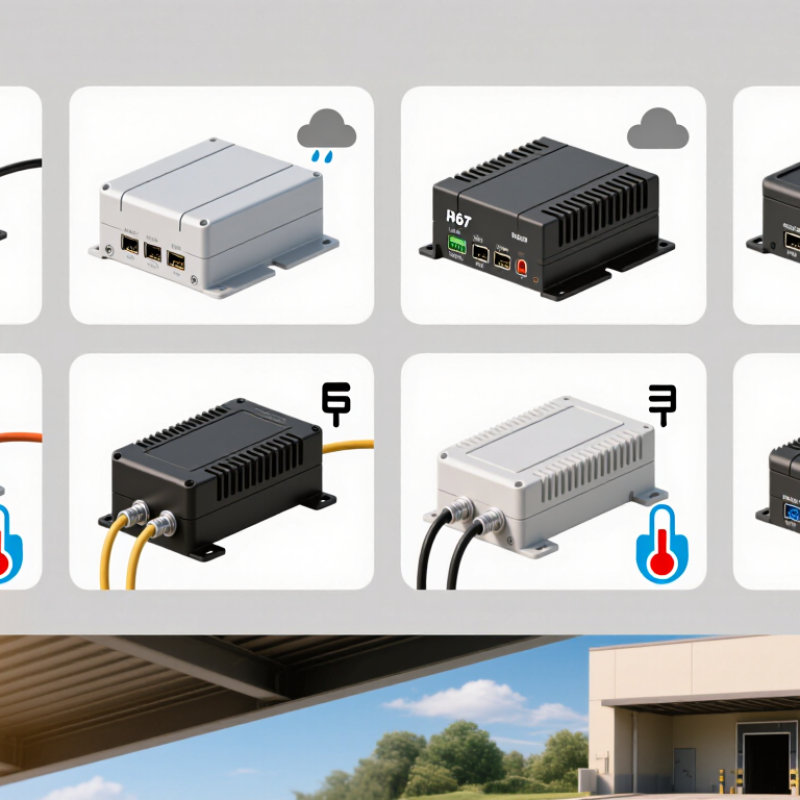
Top 10 IP67 PoE Extenders for Outdoor Use?

What an IP67 PoE Extender Does in an Outdoor Network

What an IP67 PoE Extender Does in an Outdoor Network

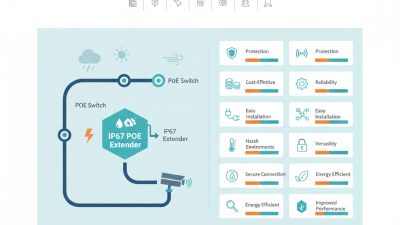
An IP67 PoE extender receives Ethernet data and power, then passes them onward to a distant device such as an outdoor camera. It can help bridge a long cable run without installing a nearby mains outlet. The enclosure matters where rain, windblown dust, and damp cable joints threaten network continuity.

Under IEC 60529, IP67 means dust-tight protection and resistance to temporary immersion under specified test conditions, including up to one metre of water for 30 minutes. It does not mean the unit can sit underwater indefinitely. Small distinction. Big consequence.

Power still needs careful planning. IEEE 802.3bt permits up to 90 watts from the power sourcing equipment, but the extender and cable consume some of that budget. The device at the far end may receive less, especially over long or thin copper runs. Check the extender’s input and output limits, cable category, and temperature rating before installation.

In practice, installers should also seal compatible connectors, secure the unit above standing water, and leave room for airflow. IP67 protects the enclosure, not careless terminations. A field test under the expected camera load is useful; I would not rely on a wattage figure alone.
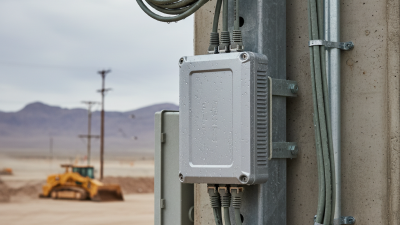
How IP67 Ratings and PoE Standards Affect Extender Selection

Top 10 IP67 PoE Extenders for Outdoor Use?

How IP67 Ratings and PoE Standards Affect Extender Selection

An IP67 label addresses enclosure protection, not the entire outdoor installation. Under IEC 60529, IP6X means dust-tight, while IPX7 covers temporary immersion under specified test conditions, commonly one metre for 30 minutes. That is useful after heavy rain or accidental flooding. It does not certify resistance to pressure washing, salt spray, or years of ultraviolet exposure. Check the rating for the complete assembled unit, including cable glands and connectors. A sealed box with an unsealed connection is still a weak point.

PoE compatibility matters just as much. IEEE 802.3af allows up to 15.4 watts from the power-sourcing equipment, with up to 12.95 watts available to the powered device. IEEE 802.3at raises those figures to 30 and 25.5 watts; 802.3bt Type 4 supports up to 90 watts at the source and 71.3 watts at the device. These figures come from IEEE 802.3 specifications, not a promise that every extender passes the full budget onward. Cable length, extender consumption, and voltage drop all reduce usable power. Measure the camera’s peak demand, especially with infrared lighting or heaters active. Leave margin. A detail that is easy to miss: the connector may be rated differently from the enclosure. Check it twice.

Criteria for Comparing Ten Outdoor IP67 PoE Extenders

Comparing ten outdoor IP67 PoE extenders requires more than checking their enclosure ratings. IP67, defined by IEC 60529, indicates dust-tight protection and resistance to temporary immersion under specified test conditions. It does not guarantee protection from every installation condition, such as prolonged flooding, damaged seals, or pressure washing. Inspect cable glands, connector caps, and operating-temperature limits. Small details matter outdoors.

Power capacity is another key measure. IEEE 802.3bt specifies up to 90 watts at the power sourcing equipment and up to 71.3 watts available to a powered device for Type 4 operation. Compare each extender’s supported PoE standard, input budget, and pass-through output—not just its headline wattage. Long cable runs add voltage drop, so verify performance against the intended cable length and load. A camera with a heater may draw much more power during cold starts.

Also compare Ethernet speed, surge-protection provisions, mounting options, and the number of powered ports. Ask for test conditions, not only a maximum distance figure. A useful comparison records whether that distance assumes a specific cable category, temperature, and connected-device load. Field conditions rarely match a neat test bench. I’d also flag unclear specifications; they make an otherwise attractive product harder to assess reliably.

Top 10 IP67 PoE Extenders: Features, Power, and Use Cases

An IP67 PoE extender can help carry network power beyond the reach of a standard Ethernet run. For outdoor cameras, gate intercoms, or sensors, the sealed enclosure helps resist dust and temporary immersion under specified test conditions. Check the actual installation limits. A rating does not protect exposed cable joints or poorly fitted glands.

Compare power handling, port count, and supported PoE types before choosing a unit. The extender must receive enough power to supply its downstream device, with allowance for cable loss and cold-weather startup. A two-port model may suit one camera and a nearby sensor; a higher-output model may be needed for a heater-equipped camera. Measure the cable path, not just the map distance. Long runs can reduce available power.

Look for a stated operating temperature range, surge protection details, and clear mounting instructions. A metal pole in direct sun can become much hotter than the surrounding air. That matters. Confirm whether the device needs local power or passes power through from the upstream switch. Product tables do not always make this obvious, and I would verify it before installation. Test the complete setup outdoors, with the intended cable and load, before relying on it.

Outdoor Installation, Cabling, and Maintenance Considerations

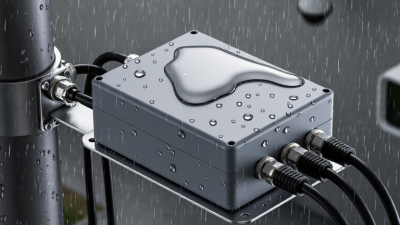
Outdoor PoE extender placement begins with water management, not the device label. IP67 indicates protection under defined dust and temporary-immersion tests; it does not guarantee resistance to standing water, salt spray, or repeated freeze-thaw cycles. Mount the enclosure above likely pooling points, orient cable glands downward, and leave a drip loop before each entry. Small details matter. A gland can be rated for outdoor use yet leak when its seal is mismatched to the cable diameter. Check the manufacturer’s installation instructions and inspect seals for cuts before tightening.

Cable distance and power loss need equal attention. IEEE 802.3 Ethernet channel specifications generally limit a copper channel to 100 meters, including patch leads; an extender does not remove the need to calculate each segment. Record cable lengths, conductor type, connected-device power demand, and expected voltage drop. Use outdoor-rated cable and compatible connectors, and bond or protect exposed runs against surges according to local electrical practice. In the field, a tidy installation is easier to troubleshoot. But tidy does not always mean serviceable.

Maintenance should include checking gland tightness, enclosure seals, corrosion, and cable abrasion after severe weather. Keep a dated photo of each connection before closing the enclosure; it can save time during a fault. Test link status and power at the farthest device, not only beside the switch. Dust may be easy to spot. Moisture inside a sealed housing is not. Record unusual readings, even when the system still works; that habit is imperfectly followed, and worth reconsidering.