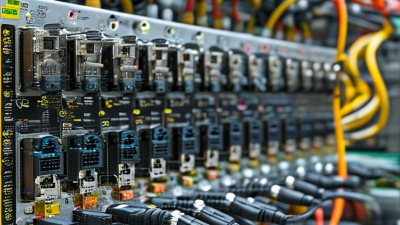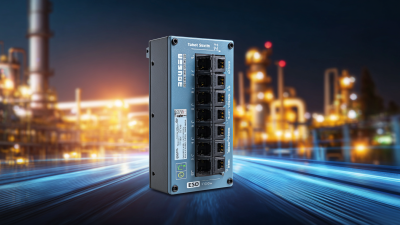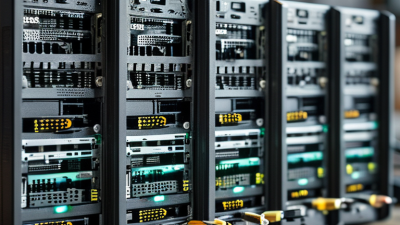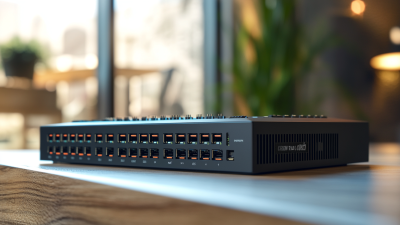
Choosing the right Industrial Poe Switch can determine whether a factory network remains stable or fails during a critical production cycle. Unlike office switches, industrial models must withstand vibration, dust, moisture, electrical noise, and wide temperature changes. A switch may look powerful on a specification sheet, yet perform poorly inside a hot control cabinet.
This guide explains how to evaluate industrial PoE switches with practical criteria. We will examine PoE standards, power budgets, port speed, uplink design, operating temperature, enclosure protection, redundancy, and network management. A reliable model should deliver steady power to cameras, access points, sensors, and industrial controllers without unexpected voltage drops. It should also provide clear diagnostics when a device disconnects at 2 a.m.
Field experience matters here. A laboratory test cannot fully represent a dusty warehouse or a cabinet beside a large motor. Check the manufacturer’s test data, warranty terms, certifications, and long-term support before purchasing. Ask whether the switch has passed vibration, surge, and thermal testing. Small details matter.
Do not choose by port count alone.
A higher PoE budget is not always better. It may increase heat, cost, and installation demands. In some projects, unmanaged switching is sufficient. In others, VLANs, ring redundancy, SNMP alerts, and remote recovery are essential. This guide will help match real operating conditions with dependable hardware, while recognizing one uncomfortable truth: the cheapest choice can become the most expensive failure.
An industrial PoE switch combines network communication and electrical power through one Ethernet cable. It usually acts as the power sourcing equipment, or PSE. A camera, access point, sensor, or controller receives power as a powered device, or PD. Before supplying power, the switch checks whether the device is compatible. This handshake helps prevent damage.
In operation, data travels between the switch and connected devices while power uses the same copper pairs. IEEE 802.3af, 802.3at, and 802.3bt standards define different power levels. The total power budget matters more than the port count. A 16-port switch may not power sixteen high-consumption devices simultaneously. Cable quality matters too. Standard copper Ethernet links normally support up to 100 meters.
Industrial models add protection for harsh locations. Look for a wide operating-temperature range, DIN-rail mounting, vibration resistance, and redundant DC inputs. Surge protection and relay alarms can improve maintenance response. Fiber uplinks are useful where electrical noise affects copper cabling. Check the connector design and enclosure rating carefully, because “industrial” does not always mean waterproof.
The best choice depends on the actual load. Measure startup power, not only the label value. In field planning, installers sometimes overlook cold-weather performance and voltage loss. That mistake can cause unstable cameras or repeated reboots. Confirm PoE standards, switching capacity, network redundancy, and available spare power before installation. A lower-cost switch may work in a clean cabinet, but harsh sites demand evidence from test reports and operating specifications.

Compare IEEE PoE standards by maximum power delivered by the switch per port. Higher-power standards support more demanding industrial devices such as PTZ cameras, wireless access points, and edge terminals.
When selecting an industrial PoE switch, check the device power requirement, total PoE budget, operating temperature range, surge protection, network speed, and redundancy features. IEEE 802.3bt provides substantially more power than earlier PoE standards, but compatibility and thermal design should also be verified.
Top Industrial PoE Switch: How to Choose the Best One?
Which Features Define a High-Quality Industrial PoE Switch?
A high-quality industrial PoE switch must deliver stable power and data in difficult environments. Check its PoE budget, not only the port count. A switch with eight ports may still fail when several cameras need maximum power. Support for IEEE 802.3af, 802.3at, or 802.3bt standards improves device compatibility. Gigabit uplinks also reduce congestion when video traffic increases. Look for VLAN, QoS, and ring redundancy features. These tools help separate critical control data from ordinary network traffic.
Rugged construction matters in factories, outdoor cabinets, and transport systems. Choose a wide operating temperature range, strong surge protection, and a suitable IP rating. A DIN-rail design saves cabinet space. Dual power inputs can maintain operation after one supply fails. In field evaluations, clear LED indicators and browser-based diagnostics save valuable maintenance time. However, specifications can be misunderstood. A high temperature rating means little if ventilation is poor. Installation quality still matters.
Tips: Calculate total power demand before purchasing. Leave at least 20 percent spare capacity. Test the switch with real cameras, sensors, or access points. Check whether its alarm relay reports power loss or link failure. Ask for independent test reports when reliability is critical. Avoid choosing by price alone. The cheapest unit may create longer service interruptions. A higher port count is not automatically better. Review the actual site conditions, because every network has different risks.
| Evaluation Dimension | Typical Industrial Requirement | High-Quality Selection Target | Why It Matters |
|---|---|---|---|
| PoE Standard | IEEE 802.3af or IEEE 802.3at for common powered devices | IEEE 802.3af/at support, with IEEE 802.3bt when high-power devices are required | Ensures compatibility with IP cameras, wireless access points, VoIP phones, sensors, and other powered devices |
| PoE Power per Port | Up to 15.4 W for 802.3af and up to 30 W for 802.3at at the switch output | At least 30 W per PoE+ port; up to 60 W or 90 W for compatible 802.3bt applications | Provides sufficient power for pan-tilt-zoom cameras, access points, intercoms, and industrial terminals |
| Total PoE Budget | Must cover the combined maximum demand of all powered ports | Total budget calculated with operating margin, normally 20% or more above the expected load | Prevents power shortages when multiple devices start simultaneously or operate at peak load |
| Ethernet Port Speed | 10/100 Mbps for basic devices; 10/100/1000 Mbps for modern networks | Gigabit PoE ports with one or more 1G, 2.5G, 10G, or fiber uplinks when required by traffic volume | Reduces bottlenecks from high-resolution cameras, wireless traffic, and aggregated uplink data |
| Uplink Interfaces | Copper uplink for short-distance connections; fiber for longer or electrically noisy links | Dedicated gigabit or faster uplinks, with SFP/SFP+ options for flexible fiber deployment | Supports longer distances, backbone connections, and electromagnetic-noise isolation |
| Operating Temperature | Commercial equipment commonly operates around 0°C to 40°C | Industrial-rated operation of approximately -40°C to 75°C, subject to the installation environment | Improves reliability in outdoor cabinets, factories, transportation systems, and unconditioned spaces |
| Installation Design | Desktop or rack installation for controlled IT rooms | Metal housing with DIN-rail or wall-mount support, secure terminal blocks, and clear status indicators | Simplifies installation in control cabinets and improves mechanical protection |
| Power Input | Single DC or AC input may be adequate for non-critical applications | Wide-range DC input, dual power inputs, reverse-polarity protection, and alarm output | Supports resilient power systems and alerts operators to input or link failures |
| Redundancy and Recovery | Basic switching without network recovery functions | Rapid ring recovery, redundant uplinks, link aggregation, and fast failover support | Limits downtime when a cable, uplink, or switch path fails |
| Management Capability | Unmanaged plug-and-play operation for small networks | Managed functions including VLAN, QoS, IGMP snooping, STP/RSTP, port mirroring, and SNMP | Improves segmentation, multicast video performance, traffic prioritization, and troubleshooting |
| Network Security | Basic password protection and physical access control | 802.1X authentication, ACLs, secure management protocols, role-based access, and firmware update controls | Reduces unauthorized access and limits the impact of compromised endpoints |
| Industrial Protection | Basic electrical protection for indoor environments | Protection against ESD, electrical fast transients, surge events, vibration, and conducted interference according to applicable test levels | Improves resilience in factories, substations, roadways, and other electrically demanding locations |
| Ingress Protection | Open or ventilated housing for clean, dry indoor rooms | Appropriate IP-rated enclosure or installation inside a properly rated cabinet | Helps protect against dust, moisture, and accidental water exposure |
| Cooling Method | Fan cooling may be used in standard equipment rooms | Fanless thermal design where feasible, with adequate heat dissipation and installation clearance | Reduces dust intake, acoustic noise, and the number of moving parts that can fail |
| Standards and Certification | Compliance depends on the deployment region and application | Documented compliance with relevant IEEE, EMC, safety, environmental, and transportation standards | Provides evidence that the equipment has been evaluated for its intended operating conditions |
| Monitoring and Diagnostics | LED status indicators for link and power activity | SNMP monitoring, event logs, remote configuration, PoE status, cable diagnostics, and fault alarms | Shortens troubleshooting time and supports centralized network maintenance |
| Lifecycle Support | Standard warranty and general technical documentation | Published firmware policy, long-term product availability, detailed manuals, spare-unit planning, and responsive technical support | Reduces replacement risk and total cost over the service life of the installation |
Note: Required specifications should be matched to the actual PoE load, network traffic, environmental conditions, installation method, and applicable regional standards.
Choosing an industrial PoE switch starts with the powered device, not the port count. Security cameras, wireless access points, sensors, and intercoms rarely share the same power profile.
IEEE 802.3af supplies up to 15.4 watts at the source, while 802.3at raises this to 30 watts.
IEEE 802.3bt Type 3 can deliver 60 watts, and Type 4 can reach 90 watts or more.
Check actual draw, startup surge, and cable loss. Rated power is not usable power. Leave headroom.
Cisco’s Annual Internet Report estimated 29.3 billion networked devices by 2023, increasing pressure on edge connectivity. That number does not justify buying the biggest switch. Count powered endpoints, reserve 20–30% capacity, and compare the total PoE budget.
For eight 15-watt cameras, 120 watts seems sufficient. Cold starts and future additions may expose the weakness.
Port configuration also matters. An eight-port switch with two gigabit uplinks may outperform a 16-port model with one congested uplink. For fiber runs, select SFP uplinks and verify temperature ratings, DIN-rail mounting, surge protection, and redundant inputs.
I have seen installations fail because the switch met PoE requirements but ignored heat inside a sealed cabinet.
Tips:
Read each endpoint datasheet before selecting the standard. Test one complete cable run under load. Record spare PoE capacity. A spreadsheet can still miss cabinet heat, cable aging, or unexpected startup demand. That deserves a second review.
Choosing a top industrial PoE switch requires more than counting ports. Durability should match the installation environment. Look for a metal enclosure, DIN-rail mounting, vibration resistance, and a wide operating temperature range. Check the power input, too. Dual power terminals can keep cameras or access points online after one supply fails. In dusty cabinets, sealed designs and clear status LEDs make maintenance easier. A switch may look rugged, yet its connectors can still become the weak point.
Network performance deserves practical testing. Confirm the total PoE budget, per-port wattage, switching capacity, and packet forwarding rate. A busy security network can suffer when several cameras transmit high-resolution video together. Managed features such as VLANs, QoS, ring recovery, and port mirroring support better control. Do not trust peak figures alone. Test traffic at realistic temperatures and cable lengths. A specification sheet cannot show every field problem.
Tips: Create a simple test plan before purchase. Connect cameras, sensors, and wireless devices simultaneously. Monitor latency, packet loss, link recovery, and cabinet temperature. For security, select switches supporting secure management through HTTPS or SSH, access control lists, VLAN isolation, and signed firmware updates. Disable unused ports and change default credentials. I have seen teams focus heavily on rugged hardware and overlook basic network access. That is an expensive lesson. Also verify firmware support and replacement procedures, because security depends on maintenance long after installation.
A 2024 industrial network market report placed Ethernet at 71% of industrial network installations. That growth makes switch selection more demanding. Start with the load. List every camera, access point, sensor, and controller. IEEE 802.3af, IEEE 802.3at, and IEEE 802.3bt provide different PoE power levels. A switch with insufficient power budget may restart devices during peak demand. Calculate total wattage, then keep practical reserve. Thermal margin matters.
Check the environment before comparing port counts. Choose an operating temperature range suitable for the cabinet, not the office. Confirm vibration resistance, surge protection, and enclosure ratings for dust or moisture. Unmanaged models suit simple layouts. Managed models offer VLANs, traffic prioritization, diagnostics, and rapid fault isolation. NIST SP 800-82 Rev. 3 recommends separating operational technology networks and controlling communications. Therefore, security features deserve equal attention.
Redundancy can prevent one cable failure from stopping production. Look for dual power inputs, ring recovery, alarm relays, and fiber uplinks when copper distances become excessive. A 24-port switch is not automatically better than a 10-port model. It may waste cabinet space and energy. The tempting shortcut is choosing by port count alone. Do not guess. Review packet rates, protocol compatibility, connector types, and future expansion. A cautious test with real devices is valuable, although it may expose assumptions made from a clean datasheet.