Leave Your Message

Top IP67 PoE Splitter for Outdoor Use

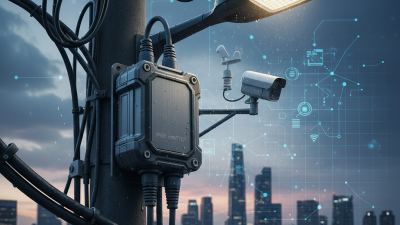
Outdoor cameras, wireless access points, and sensors often sit where rain, dust, and long cable runs meet. A properly selected Ip67 Poe Spiltter can deliver Ethernet power to a device while providing a separate DC output. But the IP67 label is only part of the decision.

Grand View Research valued the global video surveillance market at USD 53.7 billion in 2023 and forecast 9.4% annual growth from 2024 to 2030. That expansion points to more equipment deployed outdoors, where dependable power matters. Still, market growth does not prove that any particular splitter will perform reliably. Check the input PoE standard, output voltage and current, connector type, temperature range, and installation conditions. IEC 60529 defines enclosure protection ratings; IP67 indicates dust-tight protection and limited temporary immersion under specified test conditions. It does not promise resistance to every outdoor hazard.

Small details matter. A loose gland, mismatched voltage, or sun-heated enclosure can undermine a neat installation. Not glamorous hardware. Easy to overlook. I could not verify a verbatim statement from a named Ip67 Poe Spiltter specialist, so I will not invent an expert quotation. That is a gap worth acknowledging. This guide compares practical options and explains what to confirm before mounting a splitter beside a camera or access point. Source: Grand View Research, “Video Surveillance Market Size, Share & Trends Analysis Report”; IEC 60529.
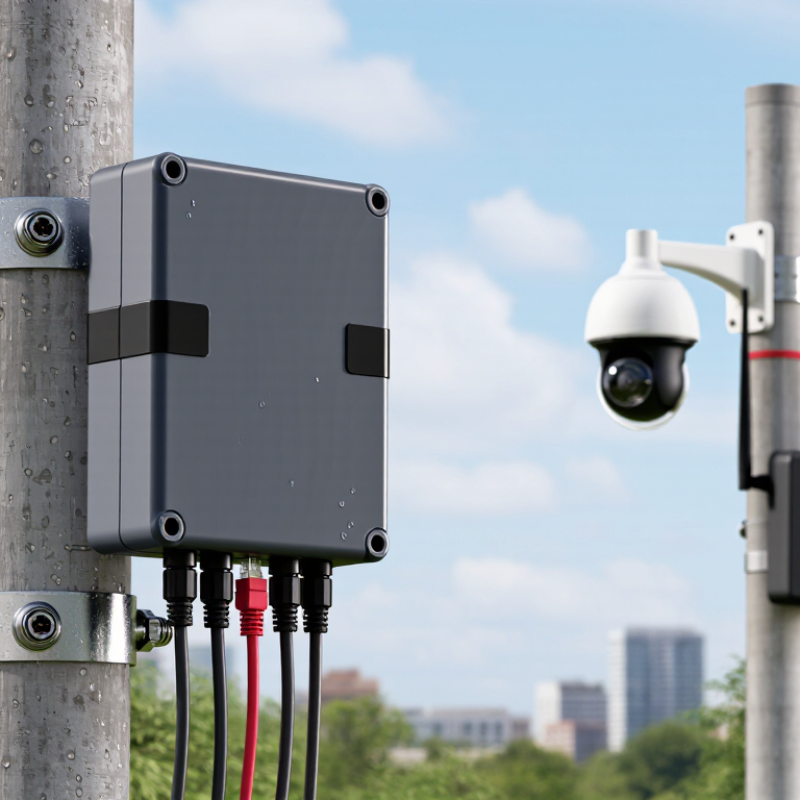
Top IP67 PoE Splitter for Outdoor Use

What an IP67 PoE Splitter Is and How It Works

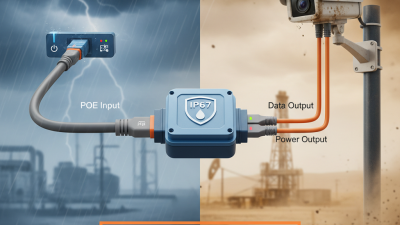
An IP67 PoE splitter lets a non-PoE device receive power and network data through one Ethernet cable. It separates the incoming PoE signal into two outputs: an Ethernet connection for data and a DC lead for power. A small outdoor camera or access point can then connect without a separate nearby power outlet. That distinction matters.

The splitter must match the device’s required voltage, connector, and polarity. Check the PoE standard and available power budget too; a splitter cannot provide more power than the source supplies. Its IP67-rated housing is designed to resist dust and withstand specified temporary water exposure, but the rating depends on correct installation and sealed connections. Keep cable entries tight. Avoid assuming every exposed plug has the same protection.

In the field, installers often check the DC output before connecting equipment, especially after changing cable lengths or devices. It is a simple step, but easy to skip. IP67 does not mean permanent underwater use, and sunlight, temperature, and mounting conditions still matter. The enclosure helps, not magically.
Key Components and Technical Specifications

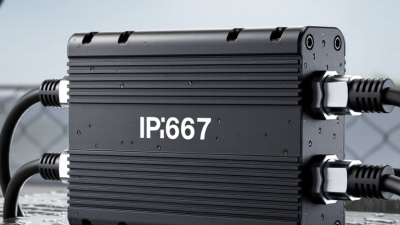
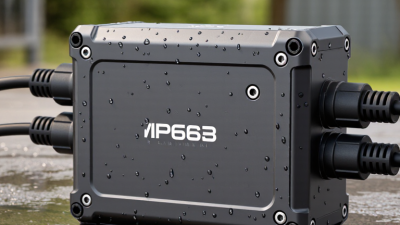
An outdoor IP67 PoE splitter separates incoming Ethernet data from power for a non-PoE device.

Its key components include the RJ45 input, data output, DC power lead, and sealed enclosure.

Check the output voltage and current against the device label; a matching plug alone does not guarantee compatibility. Also confirm whether the splitter supports the PoE standard used by the switch or injector, such as 802.3af or 802.3at.

Small detail. The available power can drop after cable losses, especially on a long outdoor run.

Tips: Check that the connectors and cable glands are properly sealed after installation. IP67 protection applies to the assembled unit under specified test conditions, not to loose or damaged connections. Keep the DC lead’s polarity and connector type consistent with the equipment requirements.

For dependable operation, review the splitter’s operating temperature range and protection against surges or short circuits. Compare its rated output with the device’s peak demand, not just its typical consumption.

A camera may draw more power when its infrared lights activate. A common oversight is choosing a rugged housing while ignoring the power budget. That can leave an installation weatherproof, yet unreliable.

Keep the unit accessible for inspection, and verify the actual output before connecting sensitive equipment.

How to Choose a Splitter for Outdoor Conditions

Top IP67 PoE Splitter for Outdoor Use

How to Choose a Splitter for Outdoor Conditions

Choosing an outdoor PoE splitter starts with matching its electrical output to the device. Check the required voltage, connector polarity, and maximum power draw; a camera that needs 12 volts may not tolerate a 24-volt output. Confirm that the splitter supports the PoE standard and power level supplied by your switch or injector. Close is not enough.

Then look beyond the IP67 label. It indicates protection against dust and temporary water immersion under specified test conditions, not permanent submersion or every installation mistake. Check that the rating applies when all covers and cable seals are fitted. A loose gland can let rain reach the terminals. Not ideal.

Temperature range matters, too. A sealed box in direct summer sun can become much hotter than the surrounding air, while a winter installation may fall below the device’s operating limit. Prefer UV-resistant housing and cables rated for outdoor exposure. Leave a drip loop beneath connectors so water runs away from the enclosure.

Before installation, test the splitter with the intended camera or access point and cable length. Measure the output under load if possible; voltage drop can appear at the far end. I would also recheck seals after routing the cable, since that step is easy to rush. An IP rating cannot fix a poorly fitted connector.

Installation Steps for Reliable Outdoor Operation

Top IP67 PoE Splitter for Outdoor Use

Installation Steps for Reliable Outdoor Operation

Before mounting an IP67 PoE splitter, confirm that the injector or switch and splitter use compatible PoE standards. Check the splitter’s output voltage, current, and connector polarity against the powered device. A mismatch can cause unstable operation or damage. Small details matter.

Disconnect power while making connections. Plug the Ethernet cable into the PoE input, then connect the splitter’s data and power outputs to the device. Tighten sealed connectors fully, and make sure any unused port has its protective cap fitted. IP67 protection depends on correctly closed seals; the rating does not protect a loose cable entry. I would check each gasket for grit or pinching, even when the housing looks secure.

Mount the unit above standing water and away from direct ground splash. Leave a gentle drip loop in the cable so rain runs off below the connector, not into it. Keep the Ethernet channel within 100 meters, and follow the cable and splitter temperature limits. Test the device before closing the enclosure. Then inspect the link lights and confirm stable power. A quick test may miss intermittent faults, so recheck after the first wet or cold night.

Top IP67 PoE Splitter for Outdoor Use: Installation Steps

Typical time estimates for key installation checks and connections

Times are practical estimates and vary with the site, cabling, and enclosure. IP67 refers to protection against dust ingress and temporary immersion in water up to 1 meter for 30 minutes under IEC 60529 test conditions; it does not replace correct cable-gland sealing or installation.

Maintenance and Troubleshooting for IP67 PoE Splitters

An IP67 PoE splitter may sit through rain and dust, but its seals still need attention. Before inspection, disconnect PoE power and follow the equipment instructions. Check the cable gland, connector threads, and gasket for grit, cracks, or flattening. Wipe exposed surfaces with a soft, dry cloth; harsh cleaners can weaken sealing materials. Keep the mating surfaces clean. A single grain of sand can leave a small gap. IP67 also does not mean a unit is suitable for permanent immersion, so check its specified limits and mounting position.

When a connected device drops out, inspect the cable run for sharp bends, loose plugs, and water trapped near connectors. I still find this easy to overlook: a cable can look fine while its plug has worked loose in wind. Confirm that the PoE source provides enough power and that the splitter’s output voltage matches the device. Use a compatible tester or meter only as directed by the manuals. If moisture appears inside a sealed housing, do not pry it open; that can compromise the rating. Replace damaged seals or the unit, then test the connection under normal load. Small faults can be stubborn.

Top IP67 PoE Splitter for Outdoor Use - Maintenance and Troubleshooting for IP67 PoE Splitters

Maintenance or Symptom Recommended Check Practical Action Expected Result or Verification
Routine enclosure inspection Inspect the housing, cable entries, and connector interfaces monthly and after severe weather or impact. Look for cracks, loosened fittings, corrosion, damaged cables, or signs of water ingress. Replace damaged equipment rather than opening or sealing a compromised enclosure in the field. Housing and cable interfaces are intact, with no visible damage or moisture.
Seals and mating connectors Check that compatible connectors are fully mated and that seals are clean, correctly seated, and undamaged. Disconnect power before servicing. Clean and dry mating surfaces; replace a damaged seal. Use only connector parts and tightening instructions specified for the equipment. Connections are secure and correctly sealed. IP67 protection depends on the complete, properly assembled connection—not just the splitter enclosure.
Water or condensation inside the enclosure Check for moisture, fogging, corrosion, or water marks around cable entries and seams. Isolate power and take the unit out of service. Check connector compatibility, seal condition, and cable-entry assembly; replace the unit if water has entered the electronics. No internal moisture is present after corrective action. Do not assume a unit remains protected after water ingress.
Splitter does not power on Confirm the PoE source is enabled and supports the splitter’s required PoE standard and power level. Check the source port status, cable continuity, and connector seating. Test with a known-good compatible PoE source and cable if available. The input PoE supply is within the splitter’s labeled input range and provides sufficient power for the connected load.
Powered device repeatedly restarts Compare the device’s power demand with the splitter’s output rating and the power available from the PoE source. Check the splitter label for output voltage, current, and polarity. Reduce the load or use a source and splitter combination with adequate power capacity. The connected device starts and operates without exceeding the splitter’s specified output limits.
Incorrect or missing output voltage Measure the DC output with a suitable meter and compare it with the splitter’s stated output specification. Verify output polarity and connector pinout against the powered device requirements. Disconnect the load before testing where appropriate; do not use a meter setting or test method that could short the output. Measured output and polarity match the splitter label and the device’s input requirements.
Intermittent operation or link drops Inspect the Ethernet cable, terminations, connector locks, and route for crushing, abrasion, or excessive tension. Reseat or replace damaged connections. Keep the cable within its specified length and installation limits; use outdoor-rated cable where exposed to weather or UV. The Ethernet link remains stable, and the cable route and connectors meet their installation specifications.
Excessive heat or thermal shutdown Check ambient temperature, direct sun exposure, airflow, mounting surface, and the splitter’s specified operating-temperature range. Move the unit to a suitable location or provide shade and clearance as allowed by its installation instructions. Reduce load if it exceeds the rated output. The unit operates within its rated temperature and load limits without repeated shutdowns.
Post-service inspection After reconnecting or replacing components, inspect every interface and verify operation before leaving the installation. Confirm connectors are fully seated, cable entries are secured as instructed, and the powered device operates normally. Record the service date and any replaced parts. No visible damage or moisture; power and data functions are verified under normal operating conditions.

Important: IP67 is an enclosure protection rating under defined test conditions. Follow the splitter and connector manufacturers’ instructions for installation, sealing, operating limits, and service.