- [email protected]
- Mon - Sat at 7:00AM to 9:00PM
Leave Your Message
Choosing an Industrial Managed Poe Switch starts with the conditions at the installation site, not the port count alone. A switch mounted beside a dusty production line faces different demands from one inside a climate-controlled cabinet. Note the ambient temperature, vibration, moisture exposure, and available power before comparing models. Small details matter.
Next, match the PoE budget to the devices you actually plan to connect. A camera may draw more power during startup or when its heater activates. Add the maximum expected load for access points, cameras, and sensors, then leave practical headroom. The port label is not the whole story.
Management features also deserve close attention. VLANs can separate traffic, while QoS can prioritize time-sensitive data. SNMP, event logs, and remote monitoring may help technicians diagnose a failed link without walking the factory floor. Check which functions are included; product descriptions do not always make limitations obvious.
This guide explains how to compare environmental ratings, PoE standards, uplink options, redundancy, and security controls. It also considers long-term maintenance, including firmware support and the availability of replacement units. A rugged enclosure alone does not guarantee reliable operation. Nor does a long feature list.
The best choice depends on the network’s real workload and operating environment. Review the datasheet, but verify important details with the manufacturer or a qualified network professional. That extra check can prevent a costly mismatch. And yes, specifications can still leave questions.
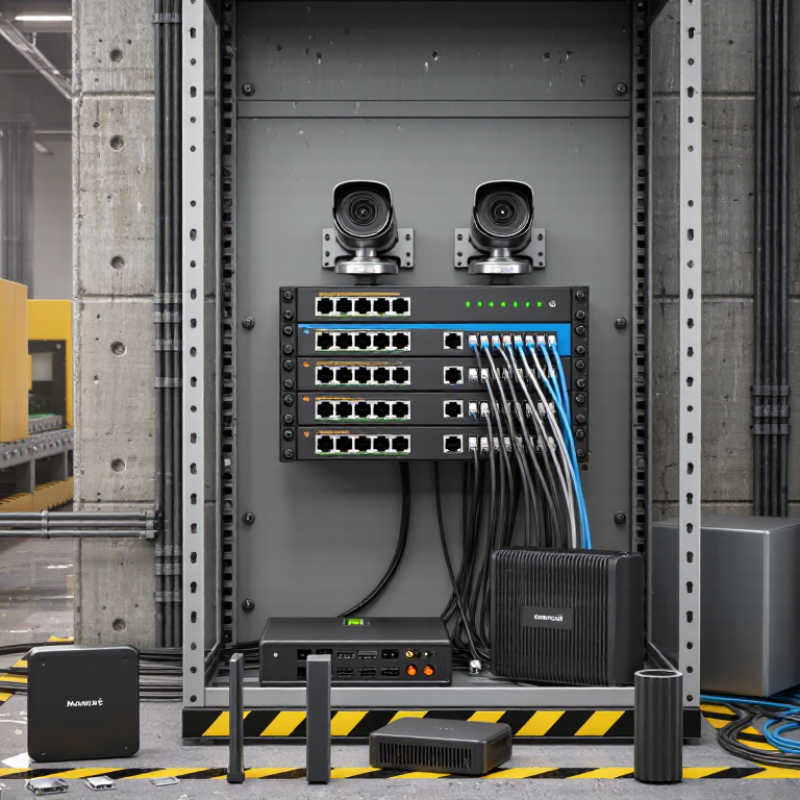
Start with a device and traffic inventory: cameras, wireless access points, sensors, and control equipment. Record each device’s PoE class, peak draw, cable run, and required uplink speed. IoT Analytics’ State of IoT 2024 report estimated 16.6 billion connected IoT devices at the end of 2023 and forecast 18.8 billion by year-end 2024. That figure covers IoT broadly, not factories alone, but it highlights why port growth and power headroom matter. Count multicast video and control traffic, too. A crowded cabinet can run out of PoE capacity before it runs out of ports.
Then inspect the actual installation: temperature swings, dust, moisture, vibration, electrical noise, and available power. A switch mounted beside a motor may face a different environment from one in a clean control room. Check its specified operating range, ingress protection, mounting method, surge tolerance, and redundant power options against site conditions. No guesswork here. For managed features, confirm VLANs, traffic prioritization, monitoring, and ring recovery match the network’s needs. I would leave spare PoE capacity; estimates often miss camera night-mode draw or future devices. Validate the budget against cable length and the switch’s total power limit, not just each port’s rating.
| Planning Dimension | What to Identify | Selection Guidance | Example Planning Value |
|---|---|---|---|
| Connected devices and port count | Count PoE devices such as cameras, wireless access points, VoIP phones, and sensors. Include non-PoE uplinks and planned expansion. | Provide enough access ports for current devices, plus capacity for expected additions. Check whether uplink ports are separate from PoE ports. | For 12 PoE devices and 2 uplinks, consider a switch with at least 12 PoE access ports and 2 suitable uplink interfaces. |
| PoE standard and per-port power | Check each powered device’s required PoE standard and maximum input power in its specifications. | IEEE 802.3af supplies up to 15.4 W per PSE port; 802.3at up to 30 W; 802.3bt Type 3 up to 60 W; and Type 4 up to 90 W. The power available to a powered device is lower after cable losses. | A device requiring 25.5 W at its input generally needs an 802.3at-capable port. |
| Total PoE power budget | Add the maximum expected power draw of all devices that may operate simultaneously. | Confirm the switch’s total PoE budget, not just its per-port rating. Allow suitable headroom for startup demand, temperature-related derating, and future devices; verify the manufacturer’s power-budget conditions. | Eight devices drawing up to 15 W each require at least 120 W for those loads, before planning headroom. |
| Network speed and uplinks | Identify device link speeds, aggregate traffic, fiber or copper media, and distances between switches. | Match access-port speeds to endpoints and select uplinks with enough capacity for combined traffic. Use fiber where the link distance, electrical isolation, or site conditions call for it. | Gigabit access ports with 10 Gb/s fiber uplinks may suit a network carrying substantial aggregated video traffic, if the connected equipment supports those rates. |
| Managed network features | Determine whether the network needs traffic separation, prioritization, monitoring, or controlled access. | Check for the required features, such as VLANs, QoS, IGMP snooping for multicast, port mirroring, SNMP monitoring, and secure management access. Confirm that the implementation fits the network design. | Separate camera traffic from office traffic with VLANs, and prioritize latency-sensitive voice traffic using QoS where needed. |
| Redundancy and recovery | Identify the impact of a switch, link, or power-source failure and the required recovery approach. | Consider redundant power inputs, ring or redundant-link topology, and supported recovery protocols. Check protocol compatibility and expected recovery behavior across the whole network. | A ring topology may help maintain connectivity after a link failure when every participating switch supports the selected ring protocol. |
| Operating temperature | Estimate the actual ambient temperature at the installation location, including heat from nearby equipment and enclosure effects. | Select a rated operating-temperature range that covers the site conditions. Check whether PoE output or other functions are derated at temperature extremes. | If the installation may reach −20°C to 60°C, choose a model whose documented operating range covers that interval under the intended load. |
| Power input and backup | Identify the available DC or AC supply, voltage range, grounding arrangement, and backup-power requirements. | Match the switch’s documented input range to the site supply. For redundant inputs, verify whether they accept independent sources and how input failover works. | A site with a 24 V DC supply should use a switch explicitly rated for the available DC voltage range and expected load. |
| Environmental protection | Assess dust, water exposure, condensation, corrosive atmospheres, vibration, and enclosure placement. | Check the switch’s specified ingress protection and environmental limits. An IP rating applies to the stated test conditions and does not by itself establish suitability for every chemical or corrosive environment. | For outdoor or washdown-adjacent installations, verify the required enclosure and protection level for the actual exposure and installation method. |
| Electrical noise and surge exposure | Consider proximity to motors, variable-frequency drives, long outdoor cable runs, and lightning-prone areas. | Review documented EMC and surge-immunity specifications, installation instructions, grounding, and protection requirements. Use appropriate external protection where the site assessment requires it. | For a long outdoor copper link, assess surge exposure and consider fiber or suitable surge protection as part of the system design. |
| Mounting and service access | Identify available DIN-rail or panel space, cable entry direction, clearance, and maintenance access. | Confirm the mounting method, dimensions, connector orientation, and ventilation requirements. Ensure cables can be routed without exceeding their bend-radius limits. | In a compact control cabinet, check the switch dimensions and the space needed to access terminals and Ethernet connectors. |
| Lifecycle and operational support | Define expected service life, configuration backup needs, monitoring practices, and replacement strategy. | Verify firmware-management options, configuration export, event logging, documentation, and support for the organization’s maintenance process. | For a remotely managed site, confirm that authorized staff can monitor link and power status and restore a saved configuration. |